

 31
31 0
0 0
0 15 March 2023
Question: While using the Map Panel, I add new objects to a layer. However, I cannot see the added object on the map. I receive the message: “No objects with ID 61 matching the specified condition.”
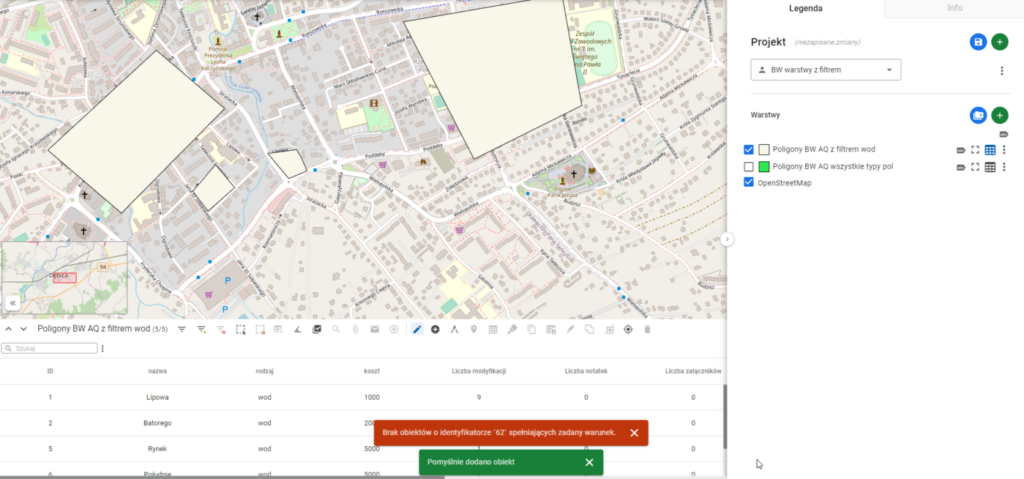
Users often work with layers that have a filter applied. However, sometimes during editing, they forget to fill in an attribute that determines whether the object appears in the edited layer.
Example:
- The user created a layer with the filter:
rodzaj=wod They create new objects.- However, they forgot to fill in the attribute
rodzaj
They save the edits
Expected application behavior:
After saving, the system attempts to display the object’s card. However, this is not possible because the object does not meet the specified filter condition.