

 11
11 0
0 0
0 14 April 2026
From the data uploaded to Usemaps by the Administrator, it is possible to create:
- Maps and
- Sheets
Sheets are a way to view data in a familiar spreadsheet format, similar to Excel. The difference is that when you click on a row, a Object Card appears with a small map, attributes, a list of tasks, comments, attachments, relationships, and change history.
This is a very convenient solution for Users:
- whose tasks do not require working with a large map. Sheets can be more convenient
Important!
- The data displayed in Sheets and on Maps is the same data. By editing in Sheets or using Map tools, you are editing the same layer!
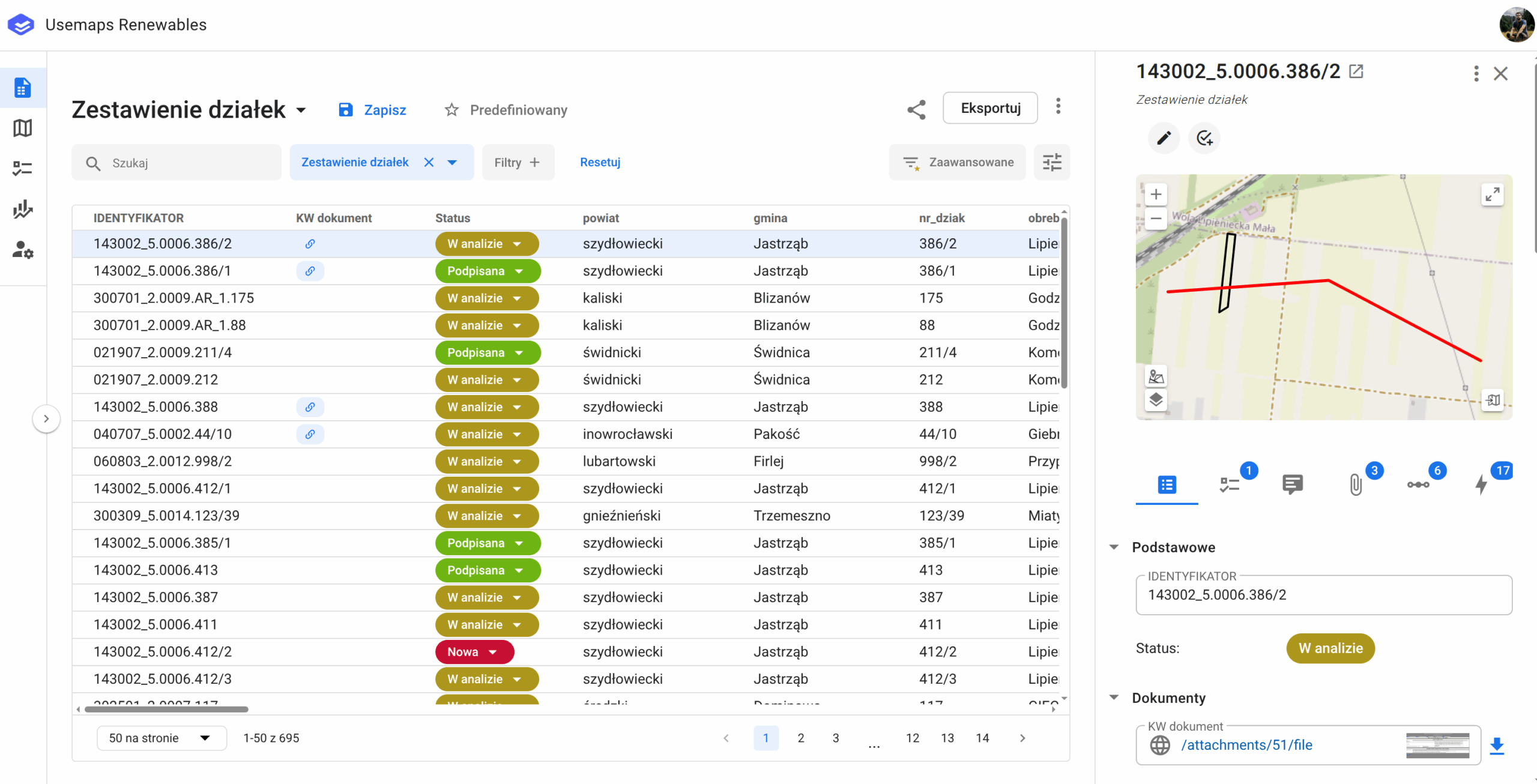
Each User can add any number of Sheets. The user can:
-
- Create a new Sheet
- Search for objects using the search function
- Open the Object Card (by clicking on a row)
- Sort and filter data
- Save the Sheet for later use
- Share the Sheet with a colleague
- Reorganize columns (change order and hide selected fields)
- Export data to several file formats
- Mark the Sheet as predefined
- Delete the Sheet
Część funkcjonalności pokazuje poniższy film: