

 20
20 0
0 0
0 26 January 2023
How to copy a layer in the administration panel?
If you are an administrator and want to quickly set up a new layer based on an existing one for which you have a configured form with multiple attributes –> create a copy of the layer.
Remember, a layer copy is a duplicate that uses the same data source as the original layer. In other words, if you create a copy of a layer with Sanitary Sewer Pipes, filtered by an attribute such as status, and delete an object, that object will be removed from the original layer as well as all other layers created from the same data source.
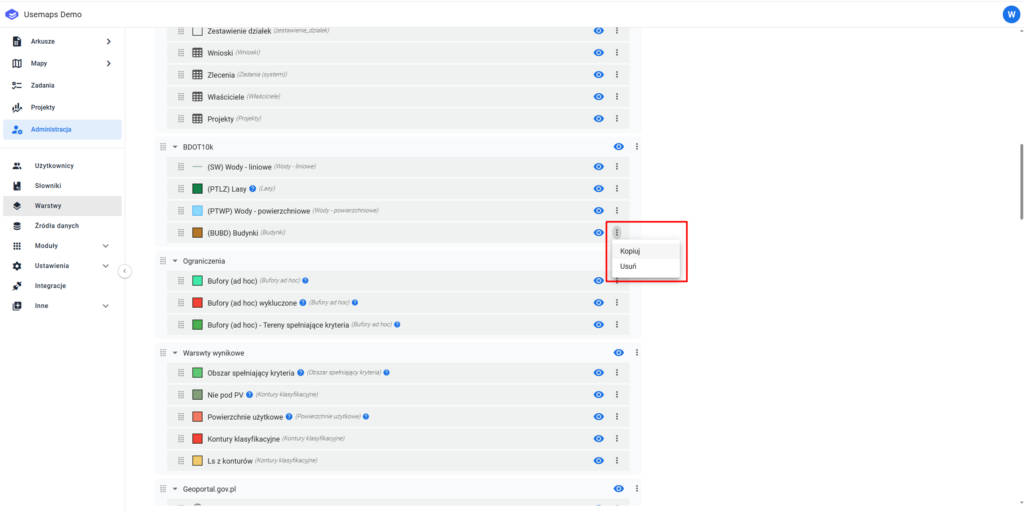
1. In the administration panel, next to the layer, select: Options -> Copy
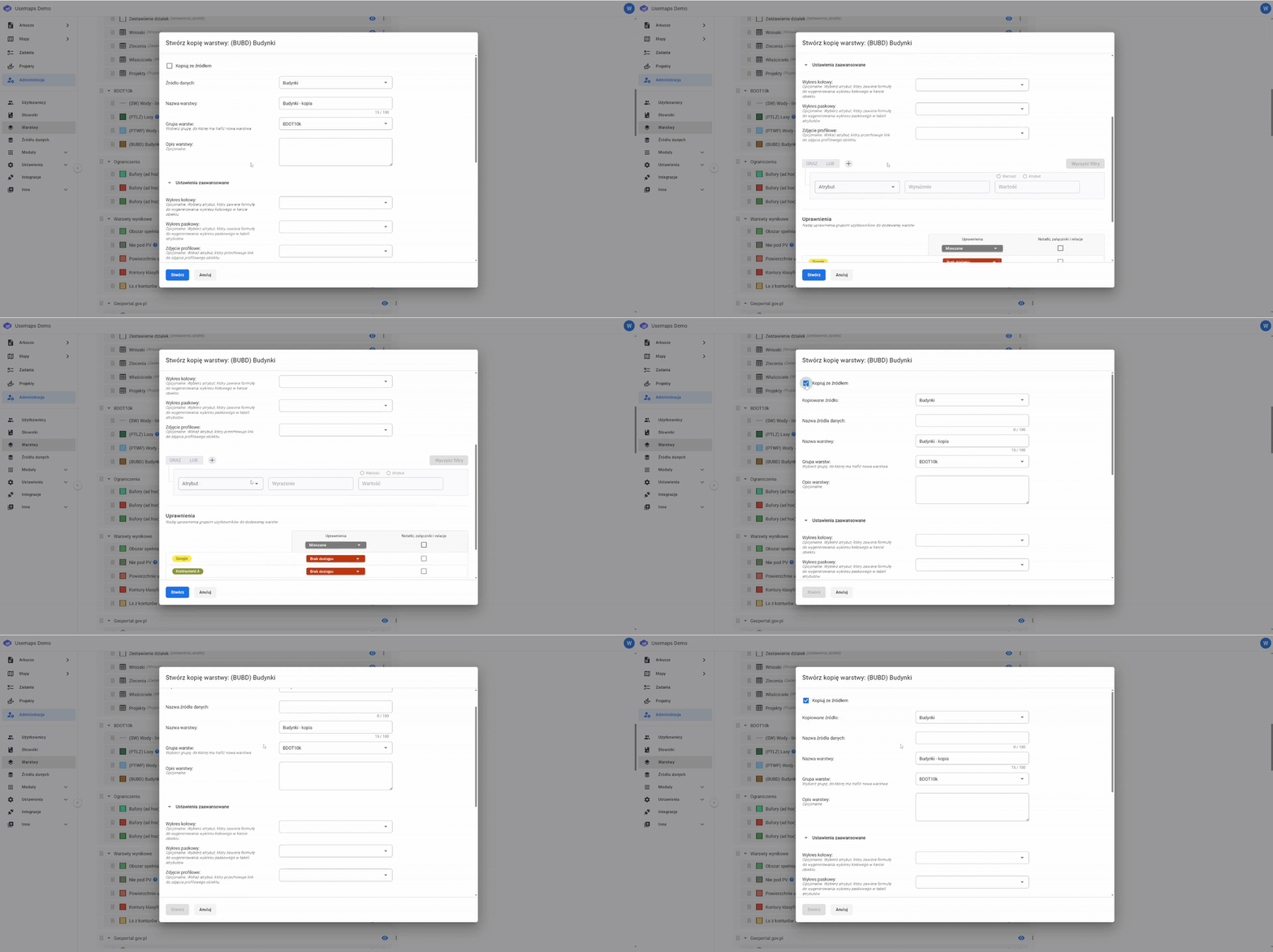
2. [Mandatory] Then assign a name to the layer.
3. [Optional] You can configure an advanced filter.
4. [Optional] Permissions for the copied layer are by default the same as the original layer, but you can modify the permissions for the copied layer.
5. The copied layer will have the same styling and feature form configuration as the original layer, but you can modify it freely like any other layer.
Additionally, you can also create a copy of the data source and save it as a new source by clicking “Copy with source”