

 10
10 0
0 0
0 22 August 2025
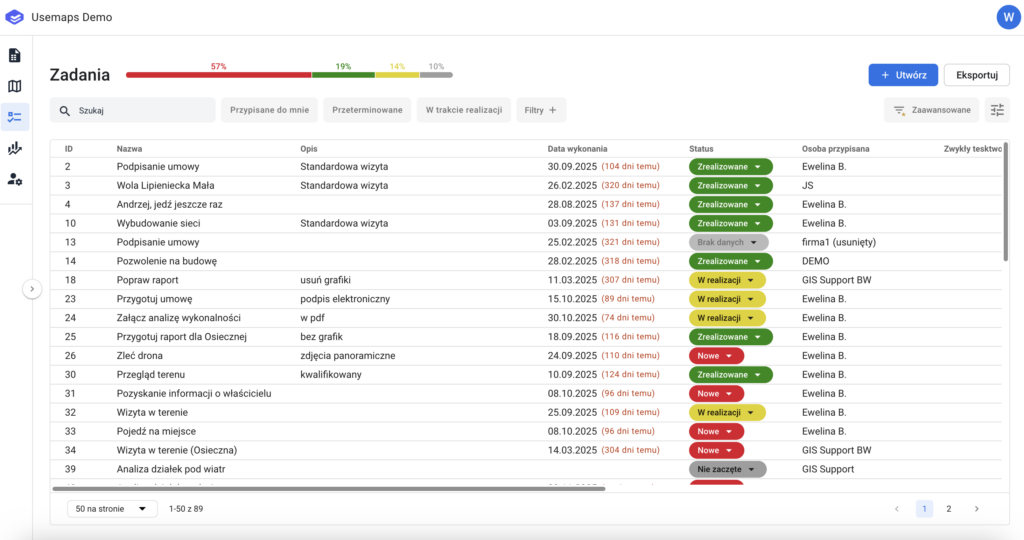
Panel that contains a list of Tasks.
Like most project management systems, Usemaps allows assigning tasks to each object.
A Task consists of at least:
- name
- description
- a status indicating the progress of the task.
- a person assigned to complete the task
- a due date by which the task must be completed
The list in the “Tasks” panel contains all tasks. It can be filtered, sorted, and searched to find specific tasks, for example by name or by the assigned person.
Operating principles
- A task can be assigned by anyone to anyone in the Object Card tab (while working in Sheets or on the Map)
- A task has its own Object Card
- On the Map, a task can be assigned to multiple objects at the same time