29
29 0
0 0
0 2 February 2023
The Object Search tool allows the administrator to configure simple search functions for users, based on layers uploaded to Usemaps.
- You can configure any number of search tools.
- A search tool can operate based on the geometry of any layer.
- It is also possible to configure a search tool based on a non-spatial layer. In this case, after performing a search, the tool will zoom to the extent of the objects that are related to the selected item.
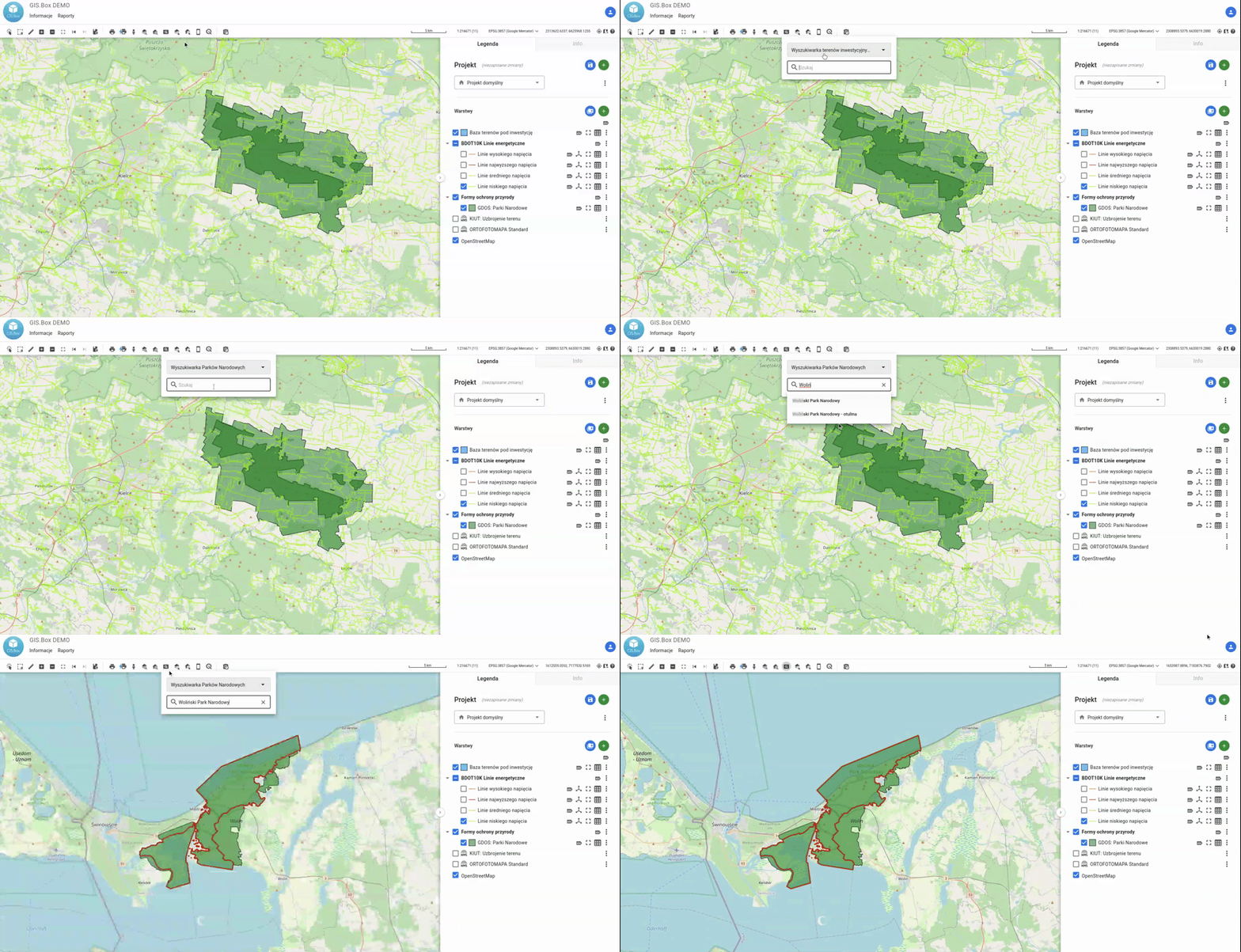
The example below demonstrates how the Object Search tool can be used to search for and zoom to the boundaries of Polish National Parks.
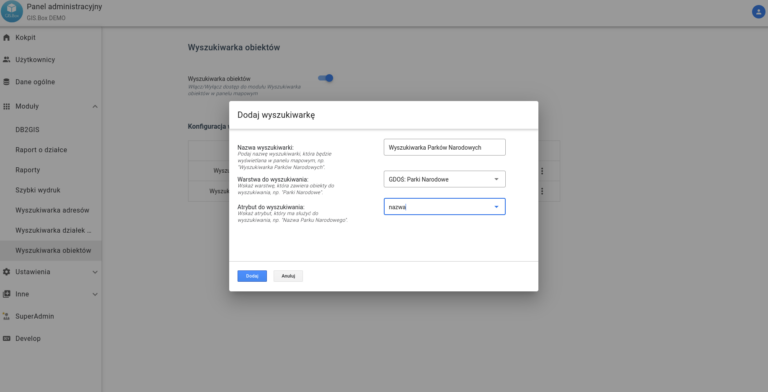
Configuration of the Object Search in the Administrator Panel
- Go to Additional Modules -> Object Search.
- Click the „Green Plus” icon
- In the new window, enter:
- The name of the search tool (e.g., National Parks Search)
- Select the layer from which you want to search for objects.
- Select the attribute to search by (most often this will be the name…)
- Click Add