63
63 0
0 0
0 1 September 2023
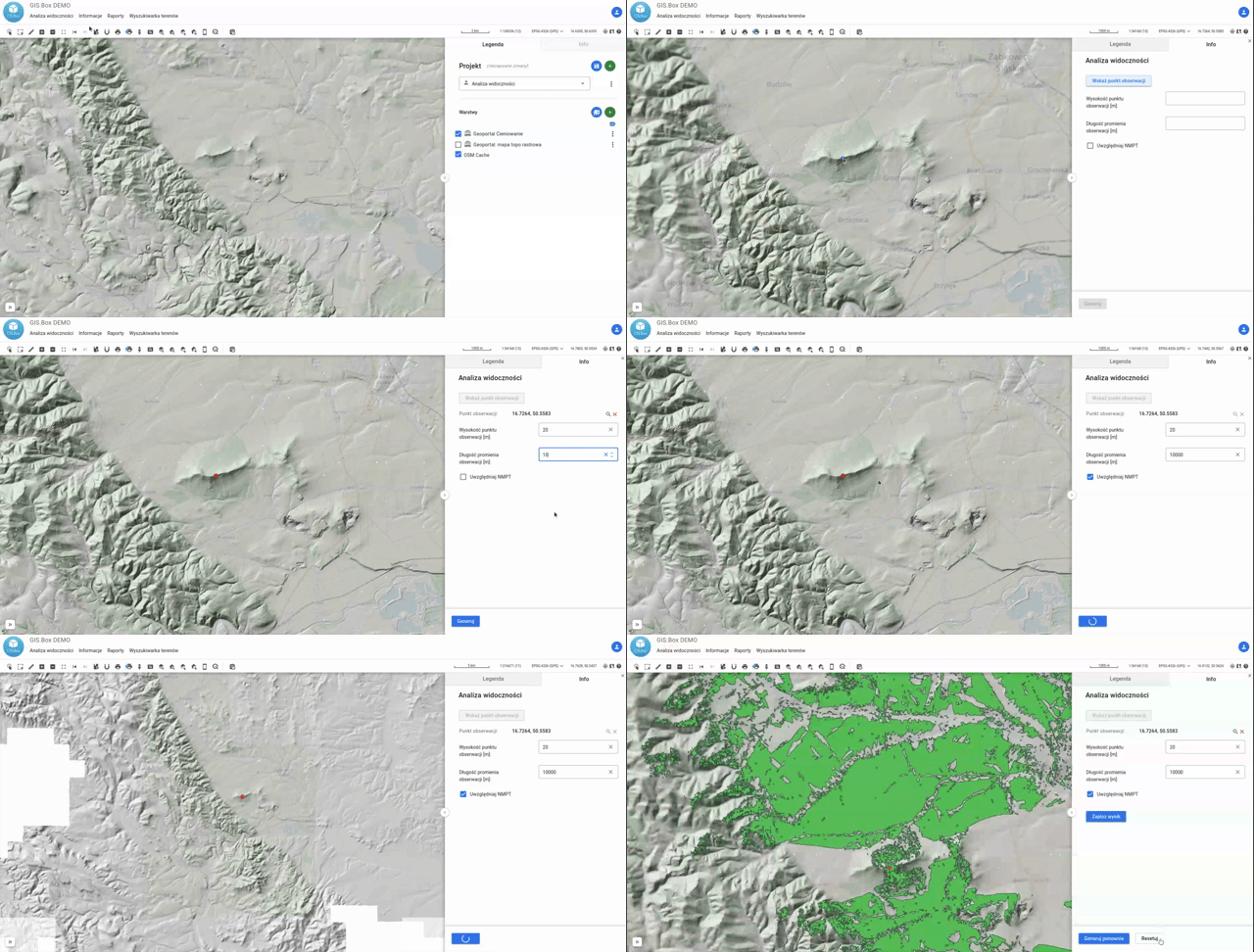
The Visibility Analysis tool uses a Digital Terrain Model (or Digital Surface Model) to perform an analysis that determines the area from which a given point is visible (or, conversely, the area that is visible from a given point)
Instructions for use:
- Launch the tool
- Select the central point of the analysis
- Specify the height of the point above the ground surface (e.g., for antennas on masts) in meters
- Specify the maximum range for the analysis in meters
- Indicate whether you want the analysis to use the DSM (Digital Surface Model); by default, the DTM (Digital Terrain Model) is used.
- Click „Generate”
A temporary layer will appear on the map. The green area represents the region that is „visible.”