

 18
18 0
0 0
0 26 May 2022
An article in the category: Data Editing
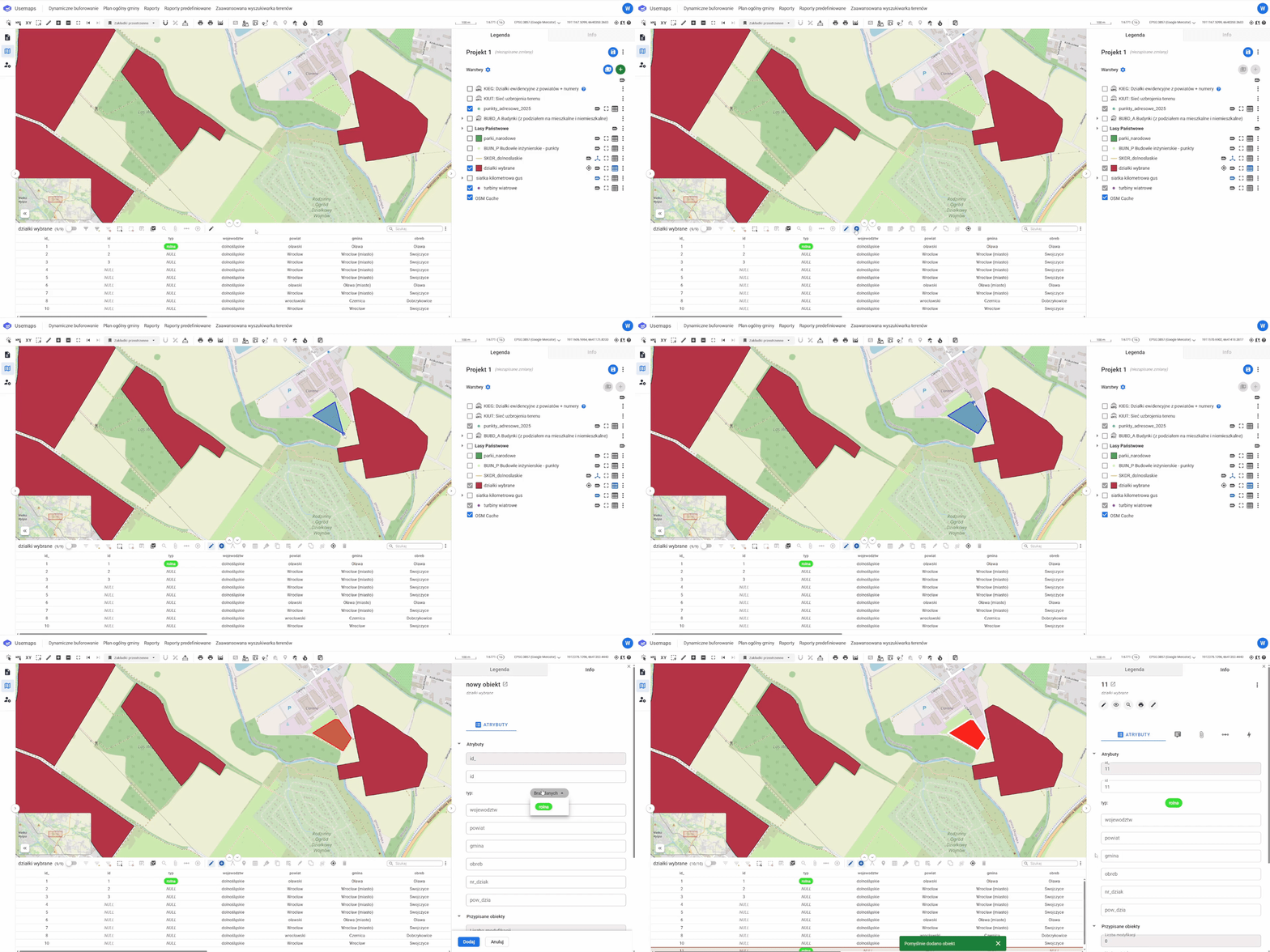
Adding a new object:
- Open the Attribute Table of the layer to which you want to add an Object.
- Select the “Add New Object” tool from the Editing Tools Panel.
- Add the object by clicking in the Map Window. Click at the points where the line changes direction. Double-click to finish editing.
- Click “Save”.
Notes:
- Objects can only be added to Layers for which you have “edit” permissions.
- This guide applies only to General Layers. Layers from Data Models may behave differently.