19
19 0
0 0
0 27 August 2025
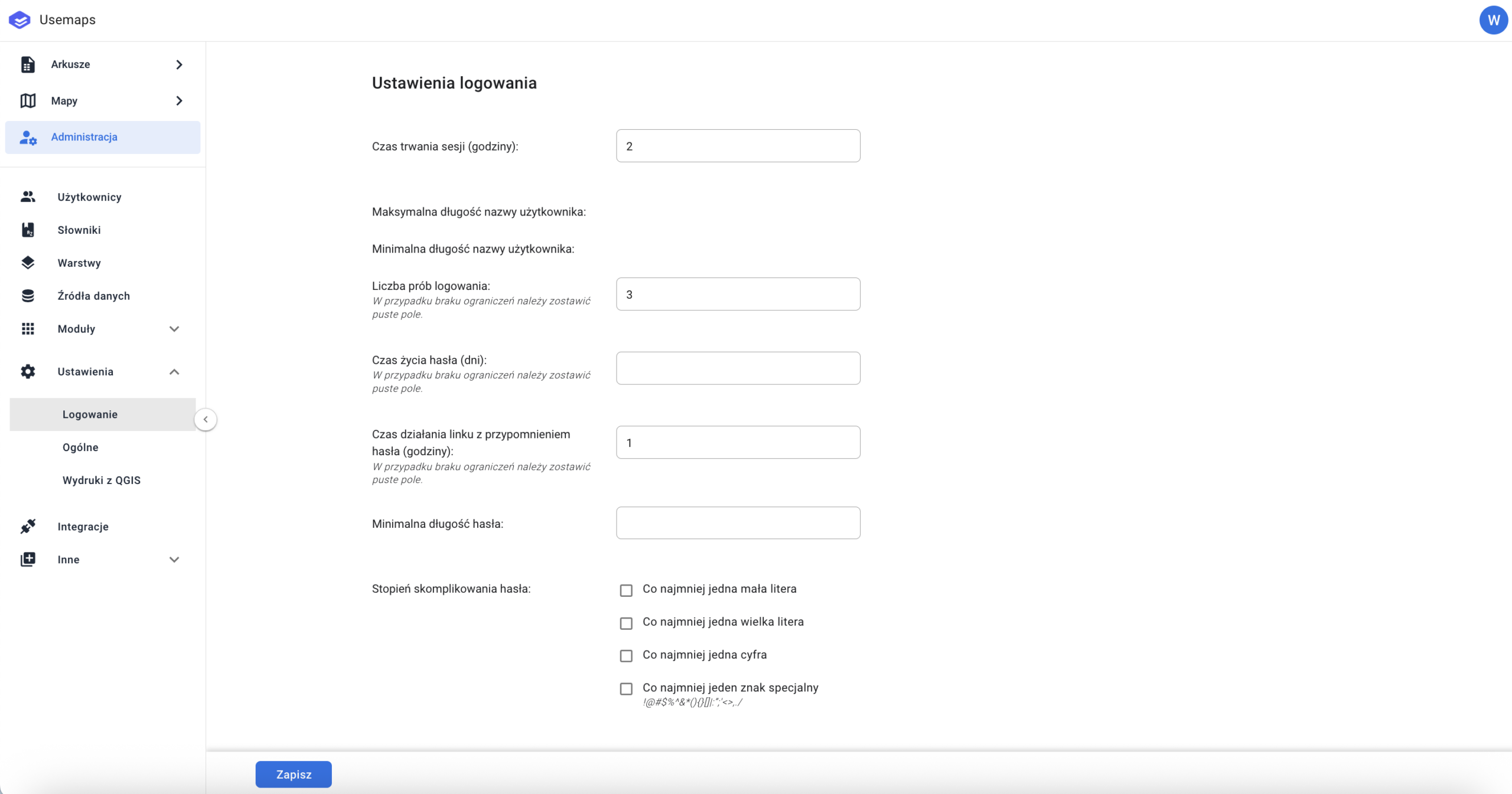
The Administrator can set requirements for user login and the complexity of user passwords.
- Session Duration (hours)
- Maximum Username Length (set by the system)
- Minimum Username Length (set by the system)
- Number of login attempts. The number of attempts after which the user will be blocked.
- Password lifetime. Number of days specifying how often a user must change their password
- Password reset link duration. The maximum number of hours allowed between requesting a password reset and clicking the activation link.
- Minimum password length. The minimum number of characters that a password must contain.
- Password complexity level:
- At least one lowercase letter
- At least one uppercase letter
- At least one number
- At least one special character
- 2FA (Two-Factor Authentication) tool toggle
- (Optional) Single sign-on [YES/NO]. A special setting that allows a user to be logged in on only one System client at a time.