22
22 0
0 0
0 17 January 2026
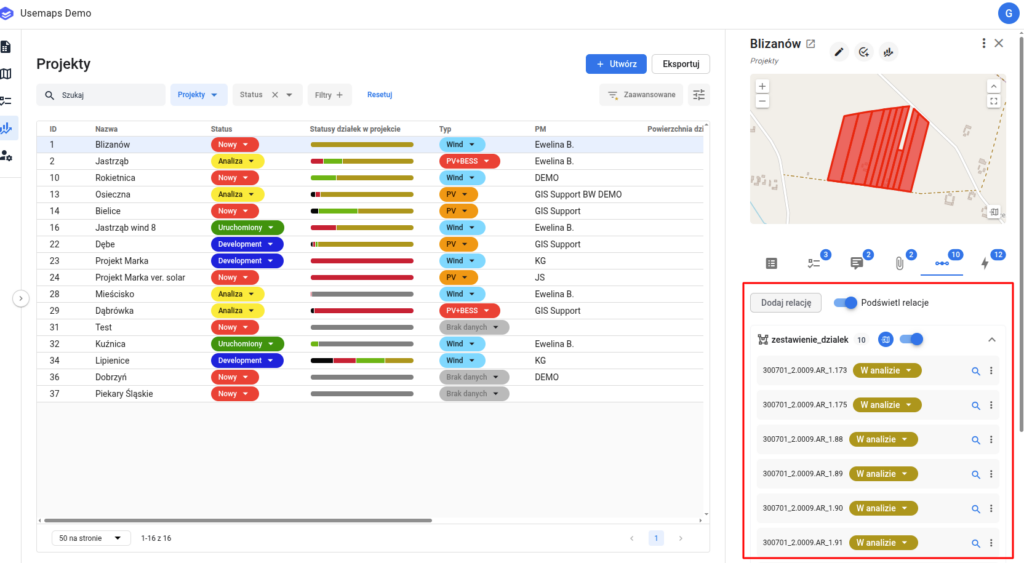
A distinctive feature of Usemaps is the ability to create relations between objects.
What exactly are these relations?
Relations are connections between objects, fully defined and managed by the System users. An example?
- If I have a layer with documents received by the organization, I can add them to Usemaps and create a relation with the parcels that the document concerns. This way, by clicking on a parcel, I get a complete list of all documents related to that parcel.
- A building is located on several cadastral parcels. After creating a relation between the building and the parcels, clicking on a parcel will show a list of buildings located on it, and clicking on a building will show the list of parcels where the building stands.
The examples are endless. Relations are flexible enough to serve as the basis for many processes.
Important:
- Relations are “many-to-many”,
Frequently Asked Questions:
How do you add a relation to an object?
- Identify the object
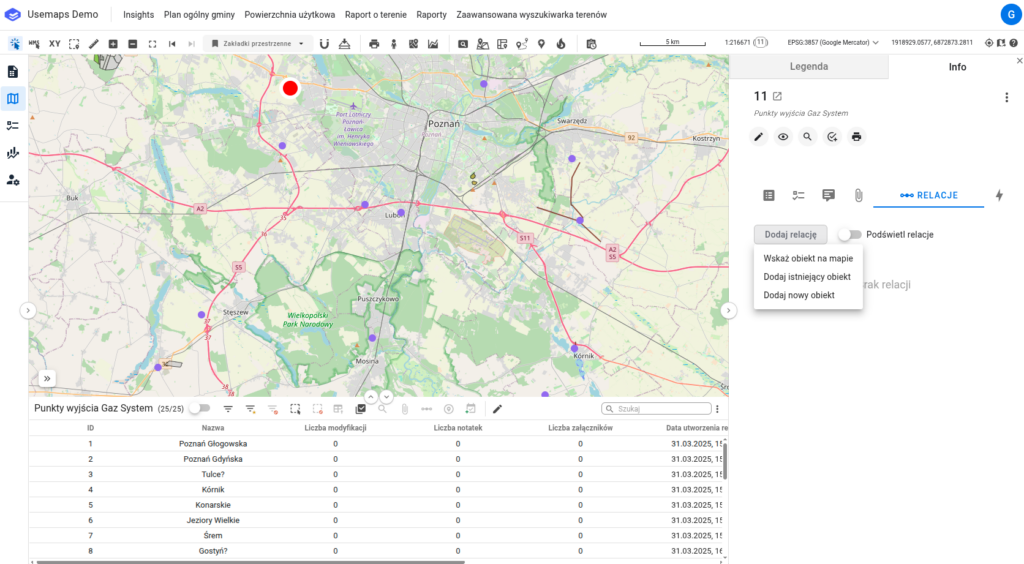
- In the object’s card, go to the tab
Relacje. - After clicking the “Add Relation” button, you have the option to:
- Assign it by selecting an object on the map – Click on the selected object. The relation will appear on the list.
- Assign it by linking to an existing object – Select the data source from which the layer was created, to which you want to assign the selected object, and then choose the object from the list.
- Assign it by adding a new object. Select a Layer from the available list: Documents or Change History.