22
22 0
0 0
0 17 May 2024
DB2GIS.Box allows you to register a new Data Source based on a table or view from another database, replicate that data to the Usemaps database, and refresh it periodically (by default every 24 hours). DB2GIS.Box supports connections to PostgreSQL, Oracle, SQL Server, and MySQL databases.
What can this be used for?
With this module, you can create a data source, for example, from:
- Your CRM system clients (with locations determined by postal code)
- Data about documents from your ERP system (each document has an identifier of the parcel it relates to)
- Data from your billing system invoices (each invoice is assigned a water meter number)
And then, using, for example
- the Report Layers module
you can link this data with a Data Source that you have in Usemaps
- a layer with postal code geometries
- a layer with cadastral parcels
- a layer with water meter locations
And you will get a new data source that contains data partly from Usemaps and partly from an external database, which will refresh automatically.
- A choropleth map showing the number of clients or transaction values in your store
- Documents assigned to the correct location on the map
- A list of invoices assigned to a specific water meter
Only your imagination limits you.
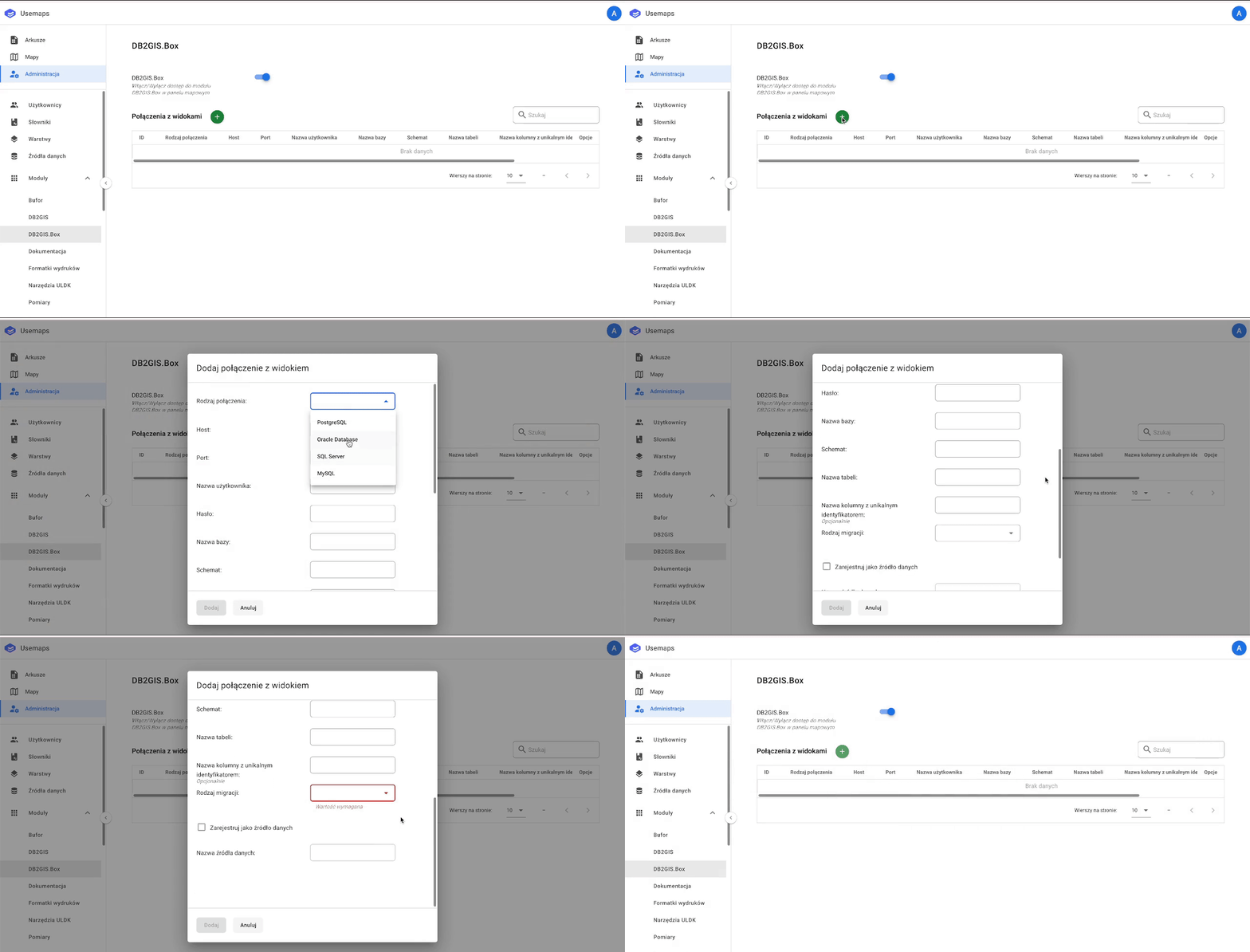
How to connect a table or view from an external database?
It’s very simple—you just need to fill out a single form: