

 11
11 0
0 0
0 28 June 2023
Administration >Data Sources is the section where the Administrator manages Data Sources (read more about the System’s data structure and importing your own files into the System).
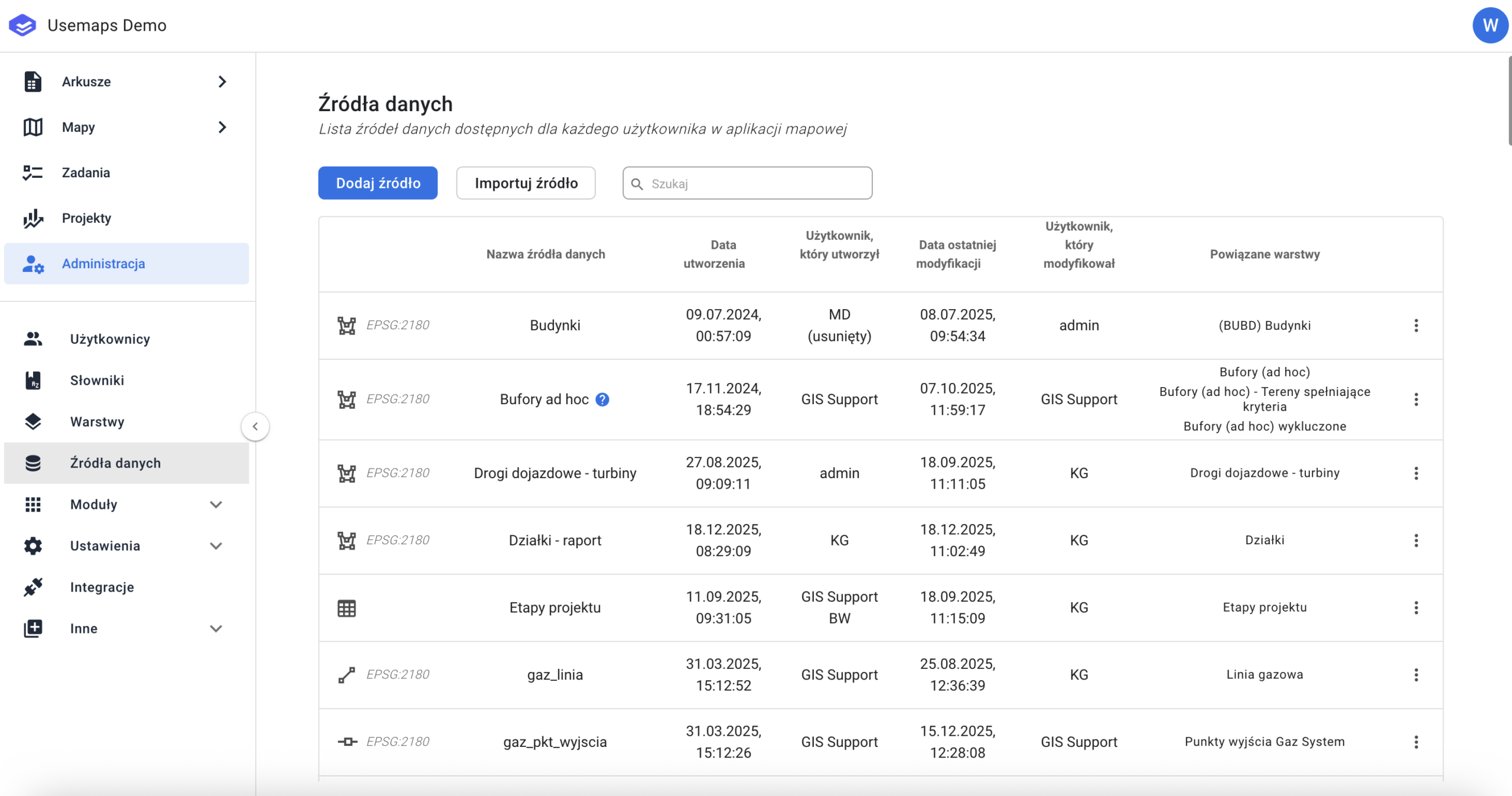
The panel consists of a list of Data Sources available in the System. Each Data Source has:
- a defined Geometry Type represented by a symbol
- The Data Source Coordinate System (displayed as an EPSG code). The System supports storing data in various coordinate systems (any EPSG code). Selecting the appropriate coordinate system is the Administrator’s responsibility (in most cases, the best choice for areas in Poland is EPSG:2180).
- The Data Source name (with an optional description of the Data Source)
- The creation date of the Data Source.
- The name of the user who created the Data Source
- The date of the last modification of the Data Source
- The name of the user who last modified the Data Source objects.
- Layers created from the Data Source
- Additional Tools:
- Manage – opens the Data Source Manager
- Copy – allows you to duplicate the Data Source (either just the structure or the structure along with the data)
- Export Metadata – allows you to export the Data Source metadata for import into another instance of the System.
- Delete – permanently removes the Data Source from the System (along with all associated Layers)
Use Cases for Data Sources
-
- Adding data to the System