

 23
23 0
0 0
0 13 June 2022
A Descriptive Attribute is an option that can be set in the Attribute Structure Manager when editing the structure.
The purpose of this setting is to select an attribute whose value will be used to identify objects in the system. It sounds complicated, but in simpler terms:
For example, if we have a layer with the locations of favorite restaurants and one of the attributes is the name, then by setting the name as the Descriptive Attribute, the name will be displayed at the top of the Object Details panel instead of the default ID.
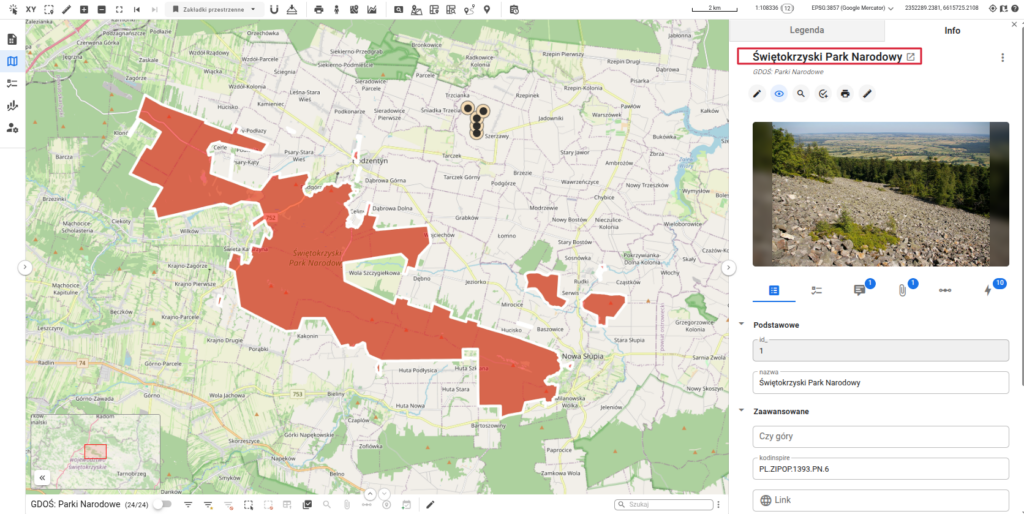
A Descriptive Attribute should, as much as possible, be unique and should not be empty (meaning you should not select an attribute as descriptive if it might not be filled in for every individual object, i.e., left as NULL).
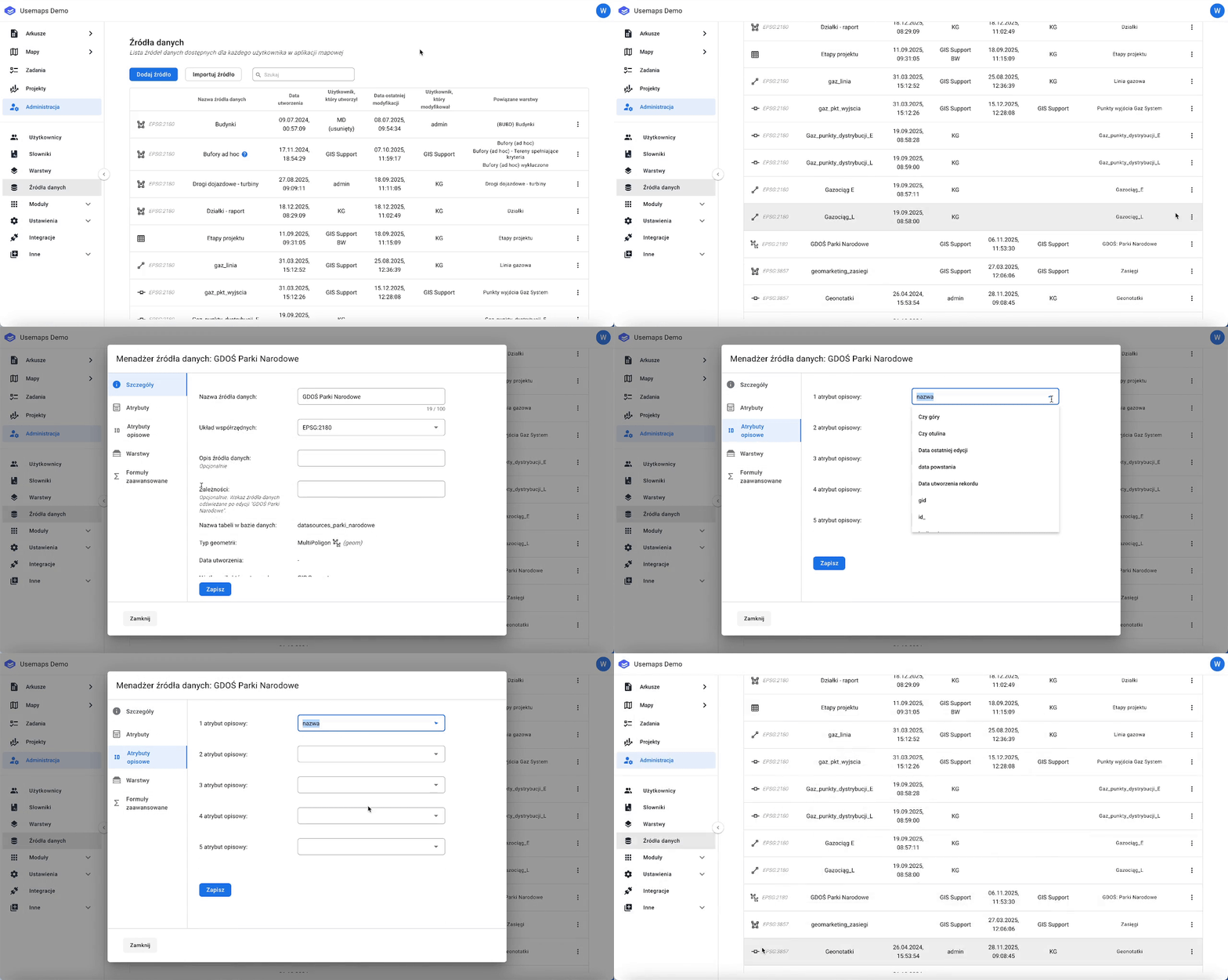
How to configure it in the Data Source Manager?
You need to go to the Administrative Panel, to the Data Sources section.
Important information:
In the second quarter of 2024, we enhanced the existing functionality of the Descriptive Attribute by preparing the system to support more than one attribute, instead of just a single one.
However, this does not mean that if you configure more than the maximum of two attributes, they will be displayed in all parts of the system.
Currently, the system supports a maximum of two Descriptive Attributes. The simultaneous display of both is currently available in only one area of the system, namely in: Relations.
If you require further customization of this system element, we encourage you to contact your Account Manager to discuss your needs and the possibilities for implementation.