

 52
52 0
0 0
0 1 July 2026
It is possible to create layer groups in the Layer List. The purpose of groups is to make browsing data more convenient.
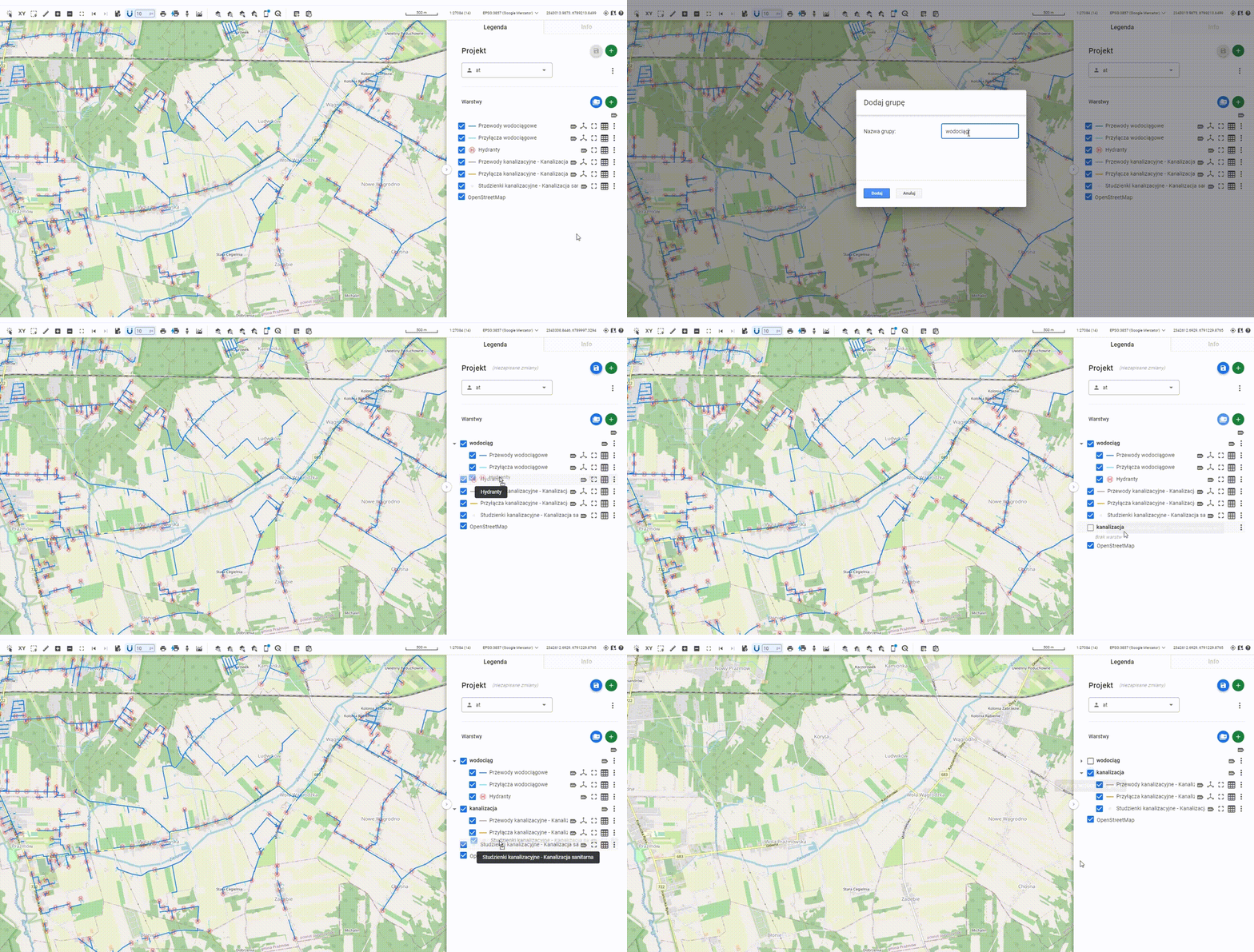
How it works:
- In the Layer List, click the “Add Group” icon.
- In the window, enter the name of the group.
- A new empty group has appeared in the panel. By clicking and holding the left mouse button on the group name, it is possible to move the group up or down the list.
- Similarly, by clicking and holding the left mouse button, you can drag a selected layer into the group. A layer moved into a group will be displayed in a distinctive way, with an indentation.
Layer grouping allows you to quickly turn the visibility of grouped layers on or off and organize the data efficiently.