

 25
25 0
0 0
0 16 March 2026
The Data Source Manager is a tool that allows the administrator to manage the Data Source.
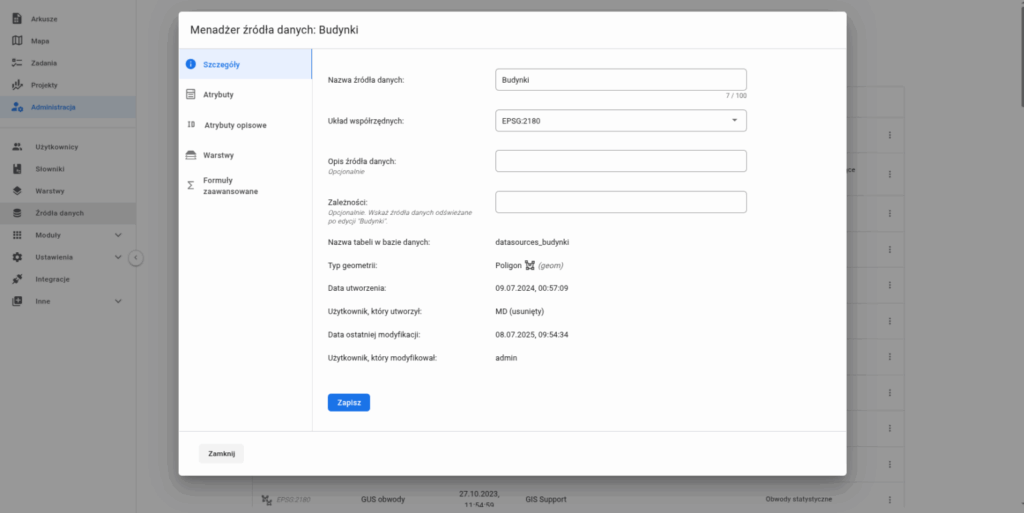
Available tabs:
- Details – basic information about Data Sources
- Data Source Name
- Coordinate System
- [Optional] Data Source Description
- [Optional] Dependencies
- Database Table Name
- Geometry Type
- Creation Date
- User who created it
- Date of Last Modification
- User who modified it
- Attributes – managing the attribute structure. Here, attributes can be modified.
- Data Type (represented by a symbol) indicates the Data Type.
- Indicates whether the attribute is editable or not (represented by a symbol)
- Display Name – the name of the attribute (+ System Name in parentheses – the name used for database storage; avoid spaces and special characters).
- Ellipsis with the delete option.
- Descriptive Attributes
- Layers – list of Layers created from the Data Source
- Advanced Formulas