Public Administration
QGIS is a great start. But the data you create shouldn’t stay only on your computer.
Municipalities, counties, and regional offices - all use QGIS, and some have a geoportal. But a geoportal only displays data. The data in QGIS stays on a single desk. Between these two tools, there is a huge gap - there is no shared, up-to-date database that every authorized employee can access and act on. Usemaps fills this gap. It’s not just another geoportal - it’s a live platform where your office truly works.


Challenges
QGIS works. The geoportal works. Yet something still doesn’t add up.
You have the tools, the data, and the people to manage it all. The problem isn’t a lack of technology – it’s that each tool operates separately. We’ve gathered the challenges most commonly mentioned by employees of municipalities, counties, and other public administration units.
The geoportal displays data. But no one actually works in it.
You have a geoportal - you can view data, print it, or show it in a meeting. But when you need to update something, add a note, or assign a task to a specific plot - the geoportal stays silent. Editing requires a separate system, a separate request, a separate department. Data becomes outdated because updating it is too difficult.
Each department has its own QGIS. And its own data.
The planning department has its layers. The real estate department has its own. Environmental protection - its own. No one knows what the neighboring office has. When an issue involves multiple departments, file exchanges via email begin, along with the question, “Which version is current?”
A case comes in. The plot exists - but its history is everywhere and nowhere.
Someone submits a building conditions request. To process it, you need to check the plot’s history - previous decisions, ongoing proceedings, notes from past years. This information is scattered across systems, binders, emails, and in the head of Ms. Marta, who has worked here for fifteen years. There is no single place where all of it sits together, linked to the plot.
Spatial data exists - but only for GIS specialists.
QGIS requires knowledge and training. Most office employees will never open it. As a result, spatial data is accessible to only one or two people in the entire unit - the rest work without spatial context, because no tool has been created that is simple enough for them to use.
Field inspection. The report is on paper. It might reach the system by Friday.
An employee goes for an inspection, takes photos with their phone, and records notes in a notebook. Back at the office, they transfer it to Excel or send it by email. Several days pass between the field event and the information reaching the system - and half the context is lost along the way. The photos remain on a personal phone.
A new employee joins. The knowledge isn’t recorded anywhere.
Ms. Marta retires. For fifteen years, she knew everything about every plot in the municipality - who owns it, what problems occurred, what was decided in a meeting three years ago. None of this knowledge is in any system. A new employee starts from scratch, makes the same mistakes, and asks the same questions to residents who have already explained everything.

Why Usemaps?
A shared, live database. Accessible to everyone who should have it.
Three areas where Usemaps transforms the daily work of teams managing infrastructure and distributed assets in the field.
Case register assigned to the plot - not to a folder in a cabinet.
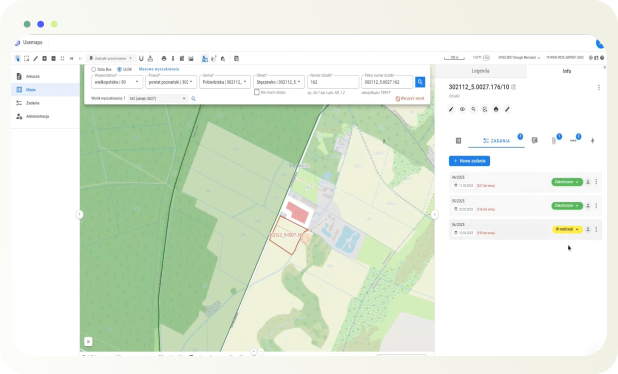
Każda działka w Usemaps może mieć przypisane sprawy, decyzje, notatki, dokumenty i statusy. Wniosek wpłynął? Dodajesz go do działki. Decyzja wydana? Jest przy działce. Za rok gdy przyjdzie kolejny wniosek dotyczący tej samej lokalizacji - historia jest pod ręką, bez szukania w archiwum. To nie jest skomplikowany system - to rejestr, który po prostu działa tam gdzie są dane.
- Cases, decisions, and documents assigned directly to the plot on the map
- The history of each location visible to all authorized employees
- Filters by status, date, and case type - no GIS knowledge required
Definitely more than a geoportal. But simpler than QGIS
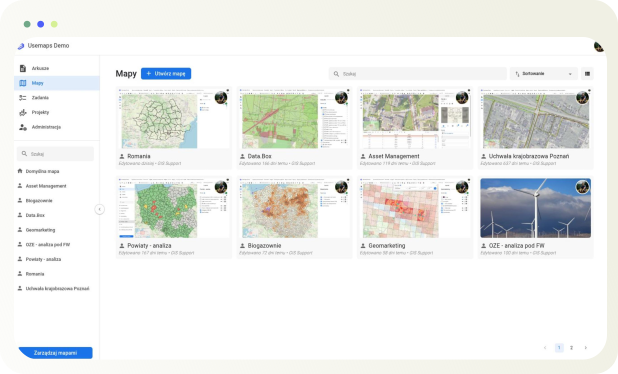
Usemaps is a browser-based platform - it doesn’t require installation, GIS training, or specialized knowledge. An employee who has never opened QGIS can view data, add notes, assign cases, and update information about plots. Meanwhile, a GIS specialist continues to work in QGIS - and synchronizes data with Usemaps with a single click.
- Access from a browser and mobile phone - no installation or training required
- Data editing for every authorized employee - not just for GIS specialists
- Integration with QGIS for advanced users
A tool for special tasks - flexible to match the needs of the office.
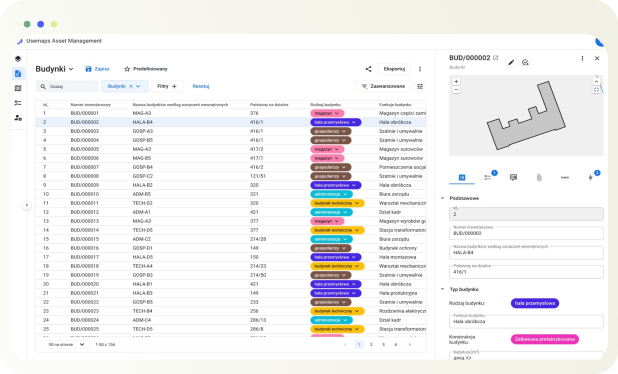
Environmental decision register. Municipal asset records. Monitoring of investments in the municipality. Citizen report database. Usemaps can be adapted to any register your office maintains - if it has a spatial component and relates to specific plots or assets, Usemaps can handle it.
- Any data structure - fields, forms, and attributes tailored to the needs of your office
- One system for multiple registers and use cases
- Implementation without an IT department - configuration through the admin panel
We have answers to every question
We currently use QGIS. Can data from QGIS be transferred to Usemaps?
Yes. No problem. All data can be imported into Usemaps. Then it can be used in the browser environment, through the QGIS plugin, and in the mobile app.
Can we install Usemaps in our IT infrastructure?
Yes. Usemaps can be deployed on-premises at your company, on our servers, or in any data center – including AWS, Azure, or other cloud platforms.