

 1
1 0
0 0
0 18 July 2022
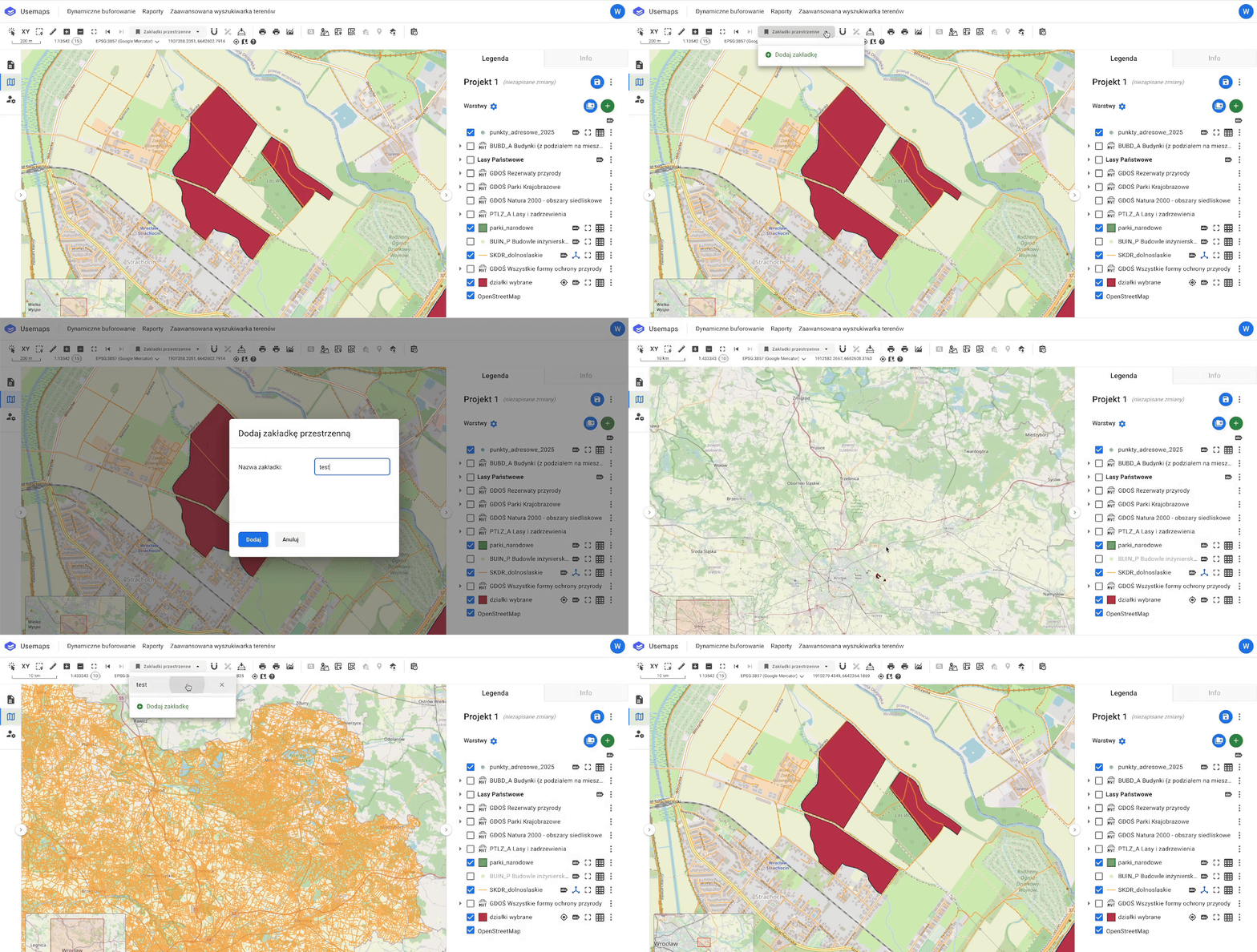
An optional helper tool in the Tools Panel that allows you to quickly and easily save a selected map view (Center Point and Zoom Level) and assign it a name for easy reference.
How to Use a Spatial Bookmark?
- Click the tool icon on the Toolbar
- Select a previously created bookmark from the dropdown list and click on it
- You will be zoomed to the corresponding location
How to Add a Spatial Bookmark?
- Position the Map Window at the location you want to save as a Bookmark
- Click the tool icon on the Toolbar
- Click “Add Bookmark”
- In the new window, enter a name for the bookmark
- Click Add
- Your personal bookmark will be added
How to Delete a Spatial Bookmark?
- Click the tool icon on the Toolbar
- Select the bookmark from the list
- Click the X icon
- Confirm the deletion
- The bookmark has been deleted
Notes
- Each user has individual Spatial Bookmarks