0
0 0
0 0
0 8 September 2022
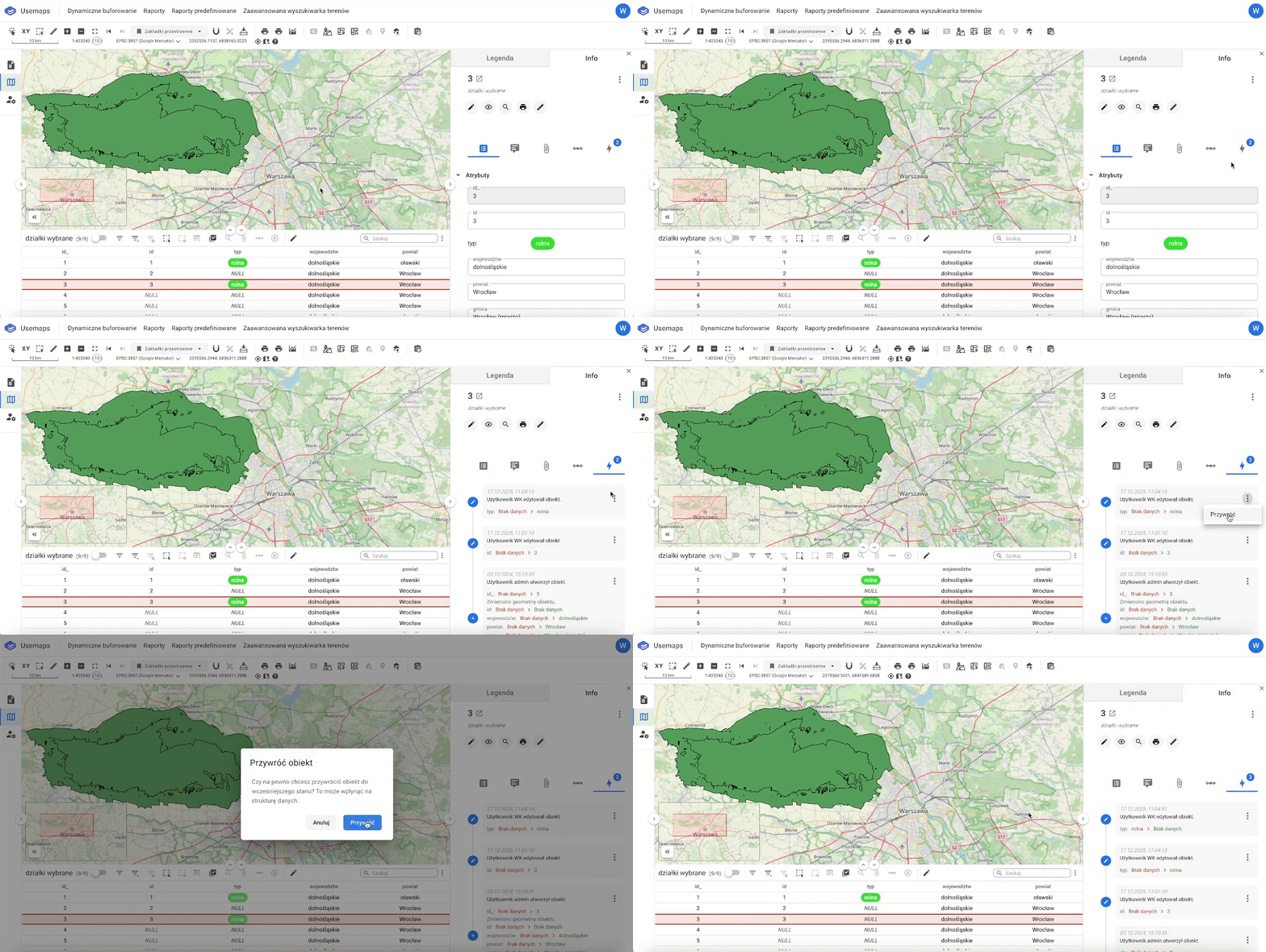
The tool allows you to undo all changes made during a single editing session for an Object.
How to use:
- Click on the Object Card
- Scroll to the Change History List
- For the selected Change History entry, click the three dots
- Click Restore
- The result is that the attributes are updated and a new Change History entry is created.