

 1
1 0
0 0
0 2 September 2024
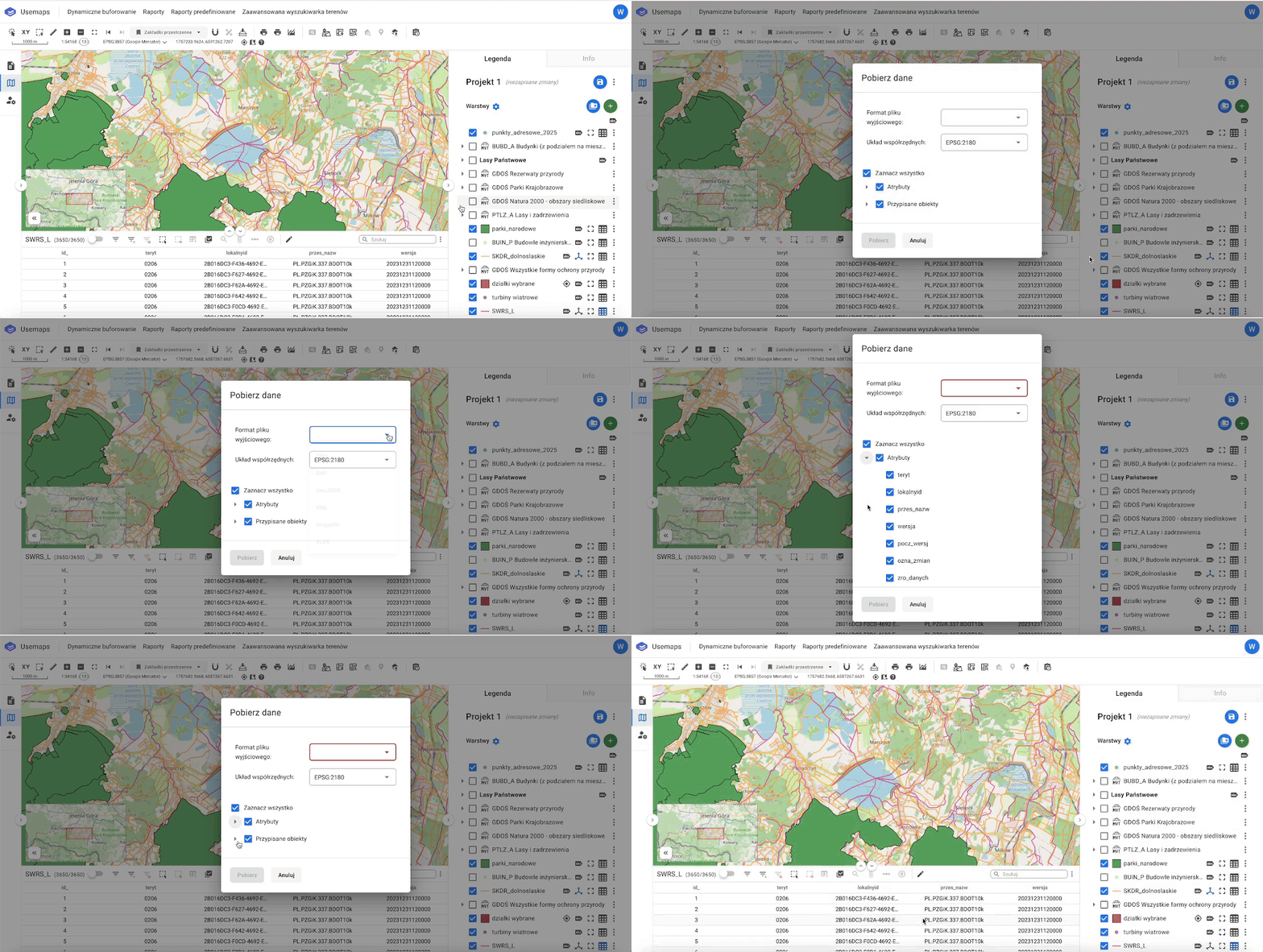
The “Download Data” tool allows you to export a Layer to SHP, XLSX, CSV, DXF, KML, or GeoJSON files directly from the attribute table.
Operating Instructions:
- Click the “Three Dots” on the right side of the Attribute Table Header.
- In the Download Data Window, select the attributes you want to export (sometimes you may only need a subset of them).
- Click Download and choose one of the available formats.
Notes:
The tool respects filters, so if you want to export only a specific part of a Layer, first filter the objects you are interested in, and then download the file.