

 1
1 0
0 0
0 11 July 2022
The tool is located in the Attribute Table Editing Tools Panel.
The tool allows you to add a new object with attributes copied from an existing object. This is convenient when adding multiple objects with the same or similar attributes.
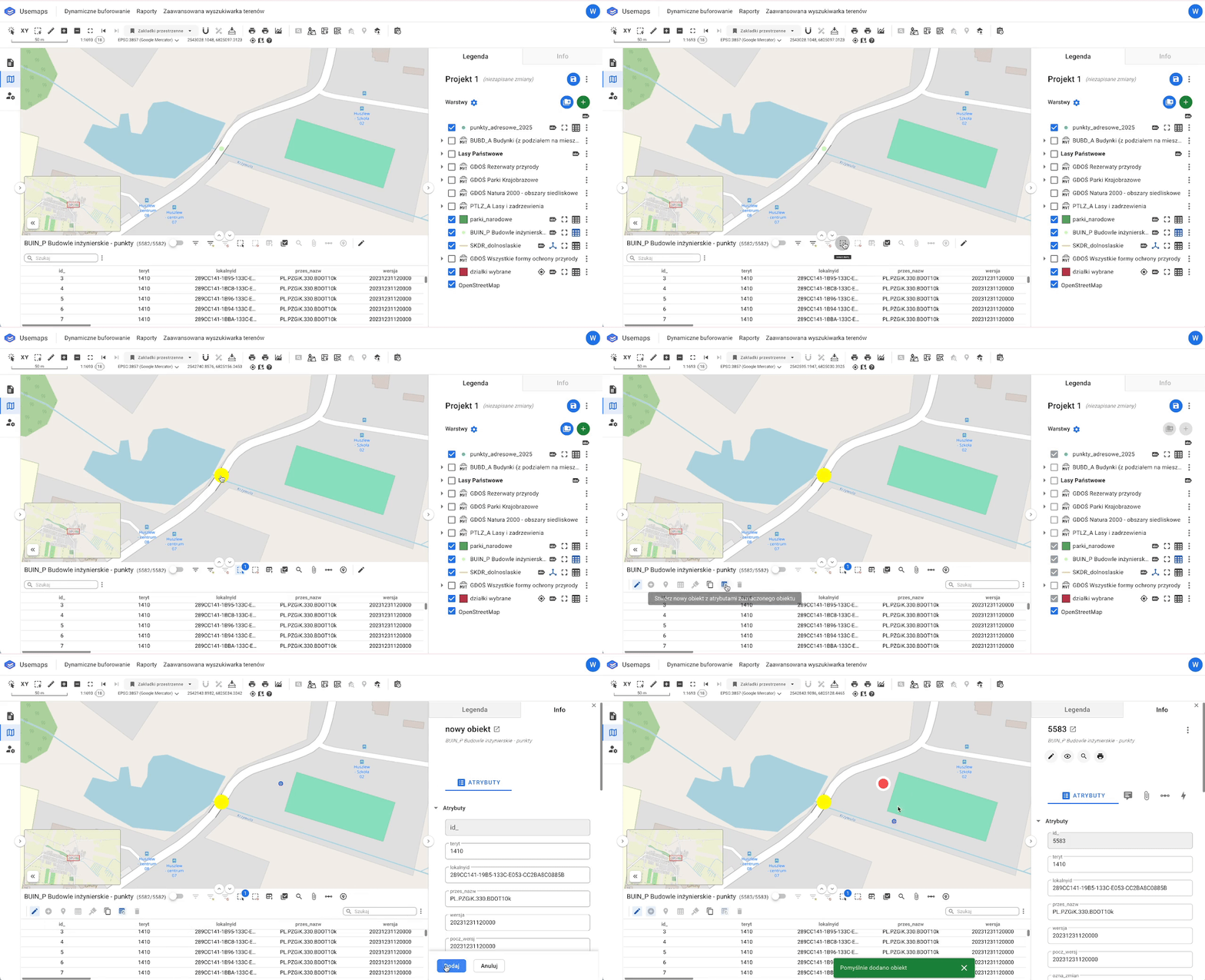
How It Works
- Select an object using the Selection tool
- Choose the tool
Stwórz nowy obiekt z atrybutami zaznaczonego obiektu - Draw the new geometry in the Map Window
- Optionally, adjust the attributes
- Click Save