

 0
0 0
0 0
0 26 April 2024
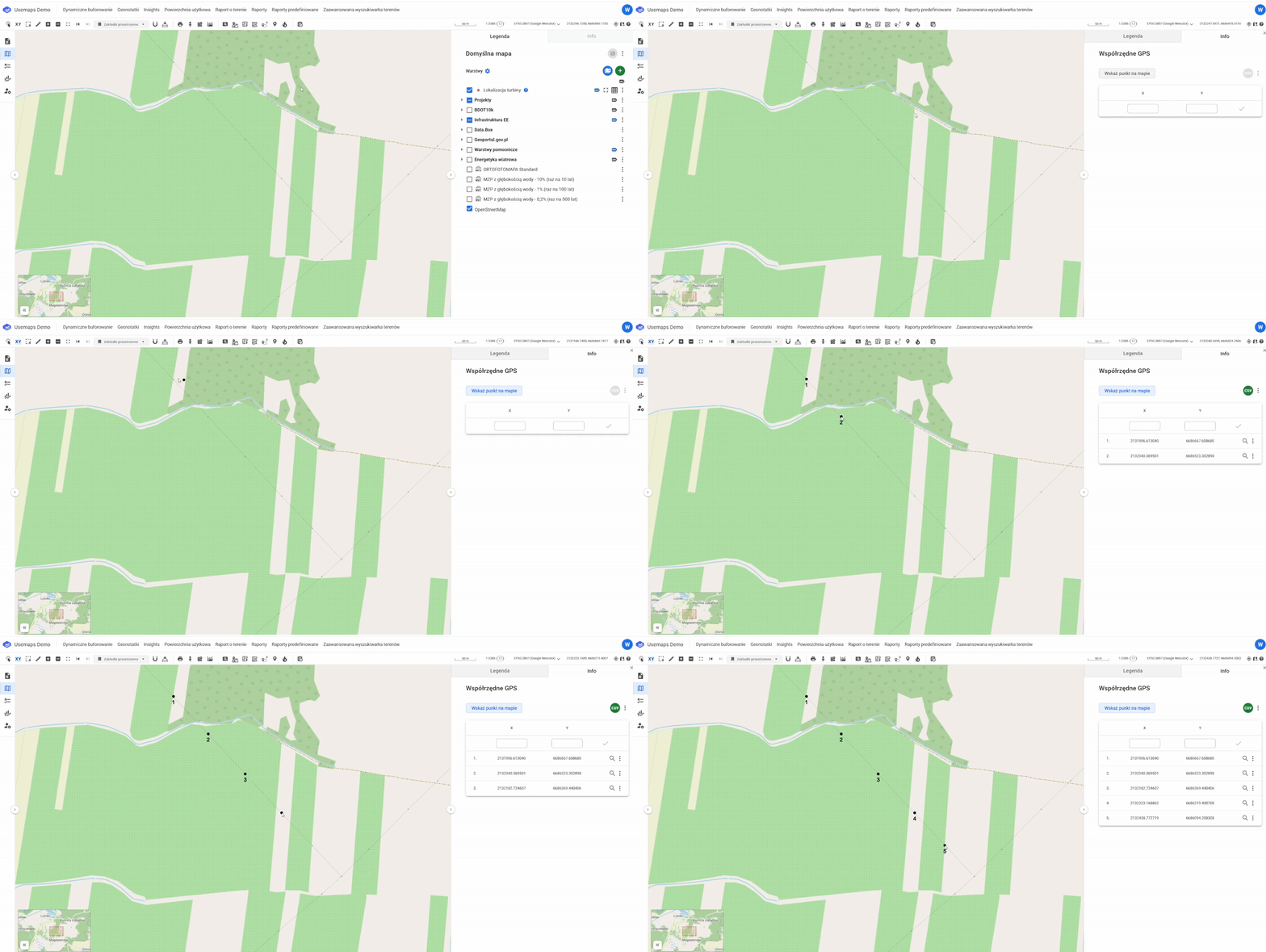
The tool allows you to create a simple list of coordinates for points clicked on the map
Description of operation
- Select the tool from the toolbar.
- The tool panel will open in the info section
- Click “Select Point on Map.”
- Click on the map.
- With each additional click on the map, a point will appear, and the tool panel table will display an entry with the coordinate pair.
- The generated list can be downloaded as a CSV file.
Practical Information
By changing the coordinate system in the toolbar, it is possible to determine coordinates in a system other than the default.