

 4
4 0
0 0
0 18 July 2022
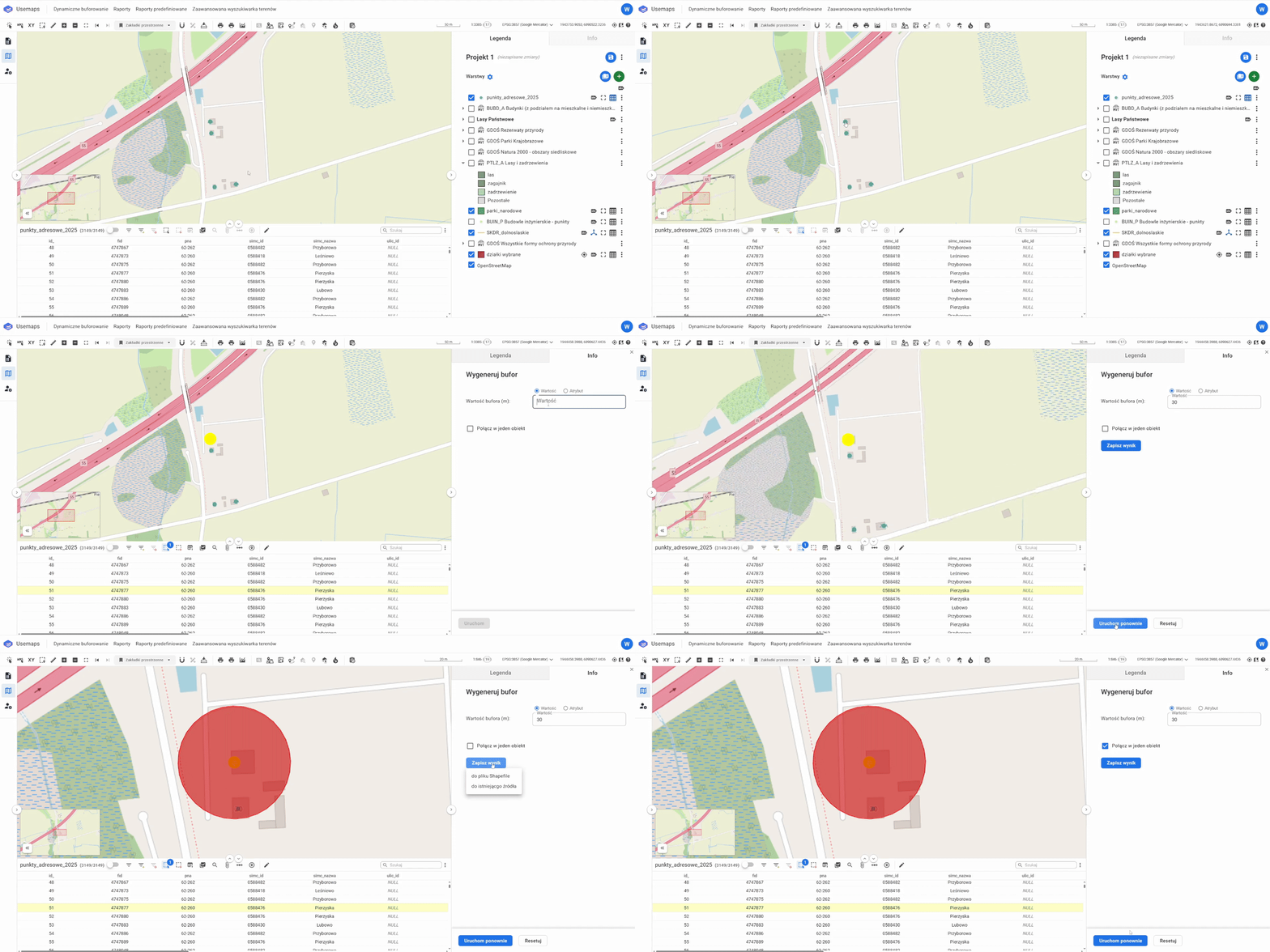
The Buffer tool allows you to create a buffer of a specified radius around selected objects.
How It Works:
- Select the objects (they should be highlighted in yellow). A buffer can be created for up to 5000 objects at a time.
- Select the tool from the Attribute Table Toolbar
- Enter the buffer value in meters or select the attribute where you store the buffer values you want to generate.
- Click Run
- A polygon object containing the buffer will appear on the Map. It can be saved as a separate Data Source, downloaded as an SHP file, or merged into a single object