

 1
1 0
0 0
0 19 September 2024
Attribute Statistics is a very useful auxiliary tool.
When you hover the mouse over a column/field header in the Attribute Table, a blue information icon will appear. Clicking the icon opens a new window with information. The range of information depends on the Data Type of the field.
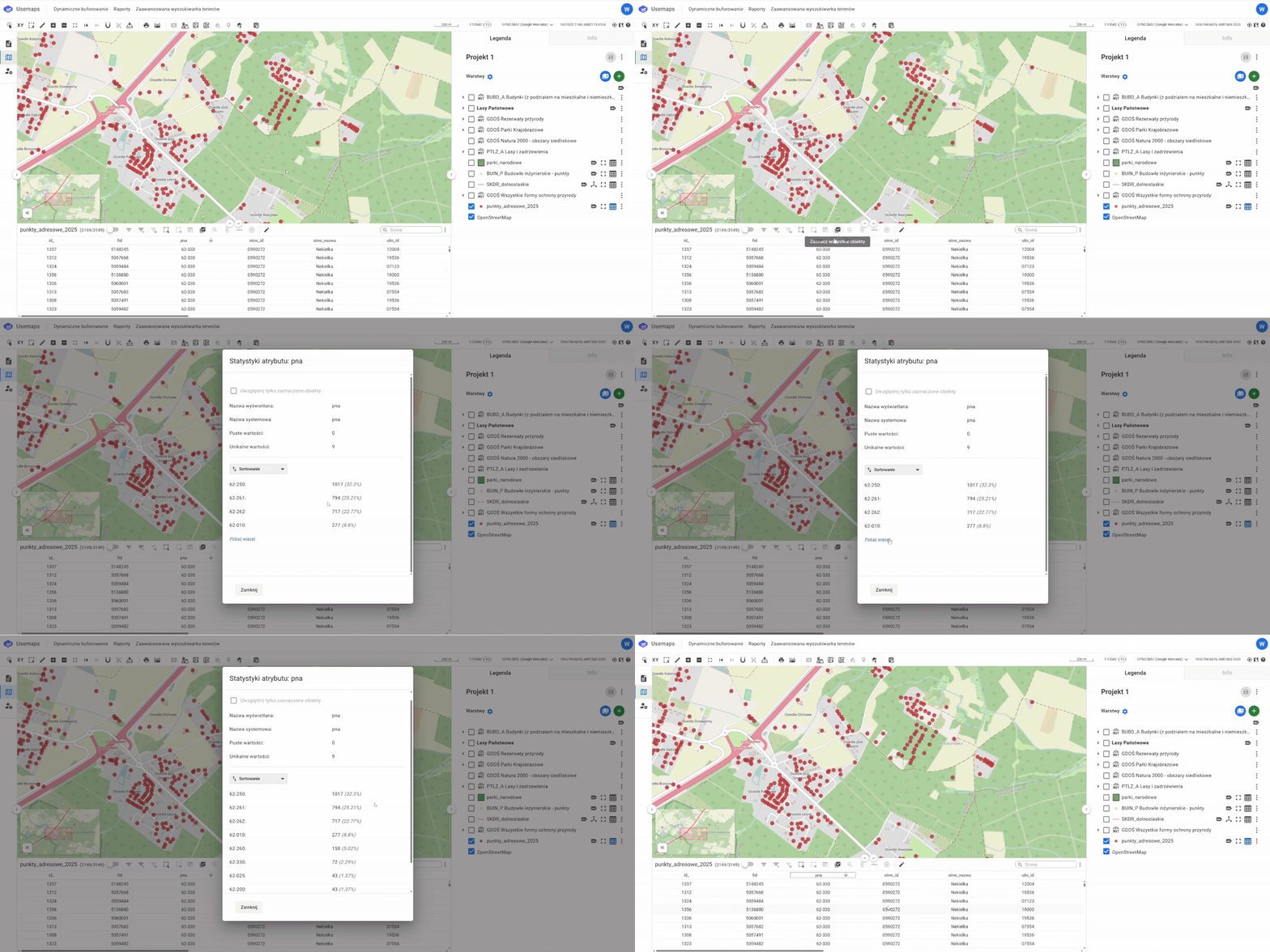
For Text data:
- Displayed Name
- System Name
- Empty Values
- Unique Values
- List of Unique Values
For Numeric Fields:
- Displayed Name
- System Name
- Empty Values
- Sum
- Average
- Median
- Minimum Value
- Maximum Value
For Date Fields:
- Displayed Name
- System Name
- Empty Values
- Unique Values
- Interval (in days)
- Minimum Value (earliest)
- Maximum Value (latest)