

 0
0 1
1 0
0 8 April 2022
How to quickly find a specific object in a layer?
Example
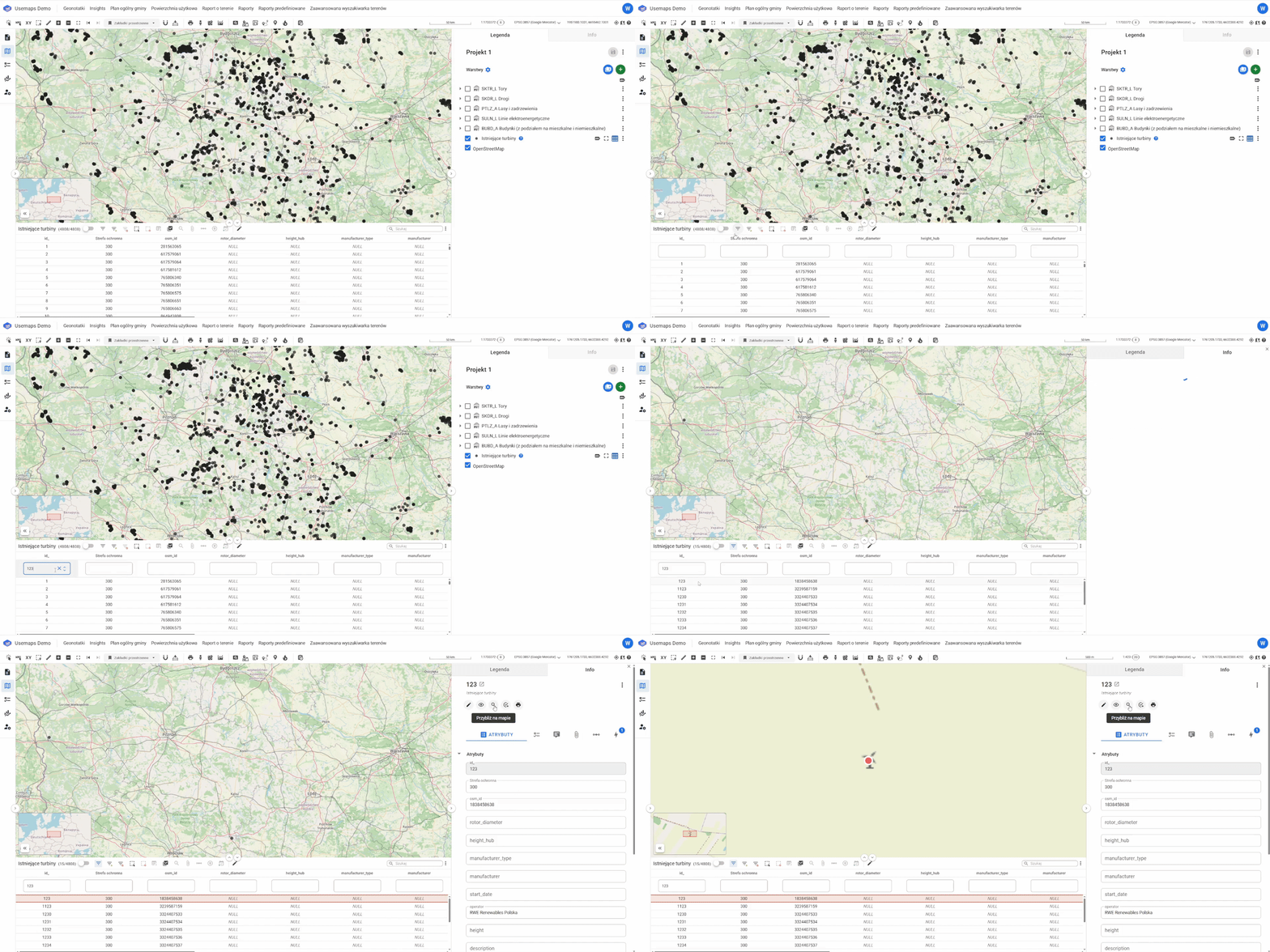
We have a layer with wind turbines. Each turbine has its own number. To find the turbine with number 123, simply:
- Open the Attribute Table of the Wind Turbines layer
- Activate the Basic Filter and select 123 in the Wind Turbine Number field
- Press Enter (this will find all turbines whose numbers contain the sequence 123, for example, 1123 as well)
- Click on the row with number 123
- Wait for the Information Panel to open
- Click on the Zoom tool
More advanced searches can be performed using the Advanced Filter.