

 2
2 0
0 0
0 11 November 2021
The Vehicle Monitoring module extends the System’s capabilities by providing:
- Displaying an additional layer in the System containing data about vehicles and their locations from an external fleet monitoring system. The layer automatically refreshes at a set interval (e.g., every 15 seconds), ensuring the locations are always up to date.
Requirements
- The client must have a fleet monitoring system installed on their vehicles, along with access to the API of a specialized provider. Data is integrated into the System through a dedicated integrator.
User Manual
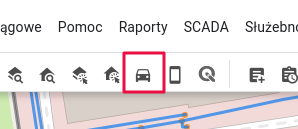
- In the Tools Panel, enable the “Enable Vehicle Monitoring” tool.
- A new layer named “Vehicles” will be added to the Layer List.
- A new Vector Layer will be added to the Map Window, refreshing at the interval set by the Administrator. The layer can be assigned any symbology in the Symbology Manager.
Administrator Manual
Administration Panel -> Modules -> Vehicle Monitoring
- The Administrator can turn the Module on or off
- The Administrator receives information about the API provider for vehicle monitoring.
- The Administrator sets the data refresh interval (in seconds). Note: This value determines how often the provider’s service will be queried. The frequency of location updates on the map may be lower, as it depends on how often the provider updates the data.
- The Administrator selects which attributes (from those provided by the vehicle monitoring API) should be displayed in the Object Card.
- The Administrator assigns the default symbology.
Notes
Activating the Module requires configuring the Integrator with the vehicle monitoring service provider’s API. This is a programming task performed during implementation. Changing the fleet monitoring API provider requires modifying the Integrator and performing development work.