2
2 0
0 0
0 10 November 2021
An article in the area of User Management
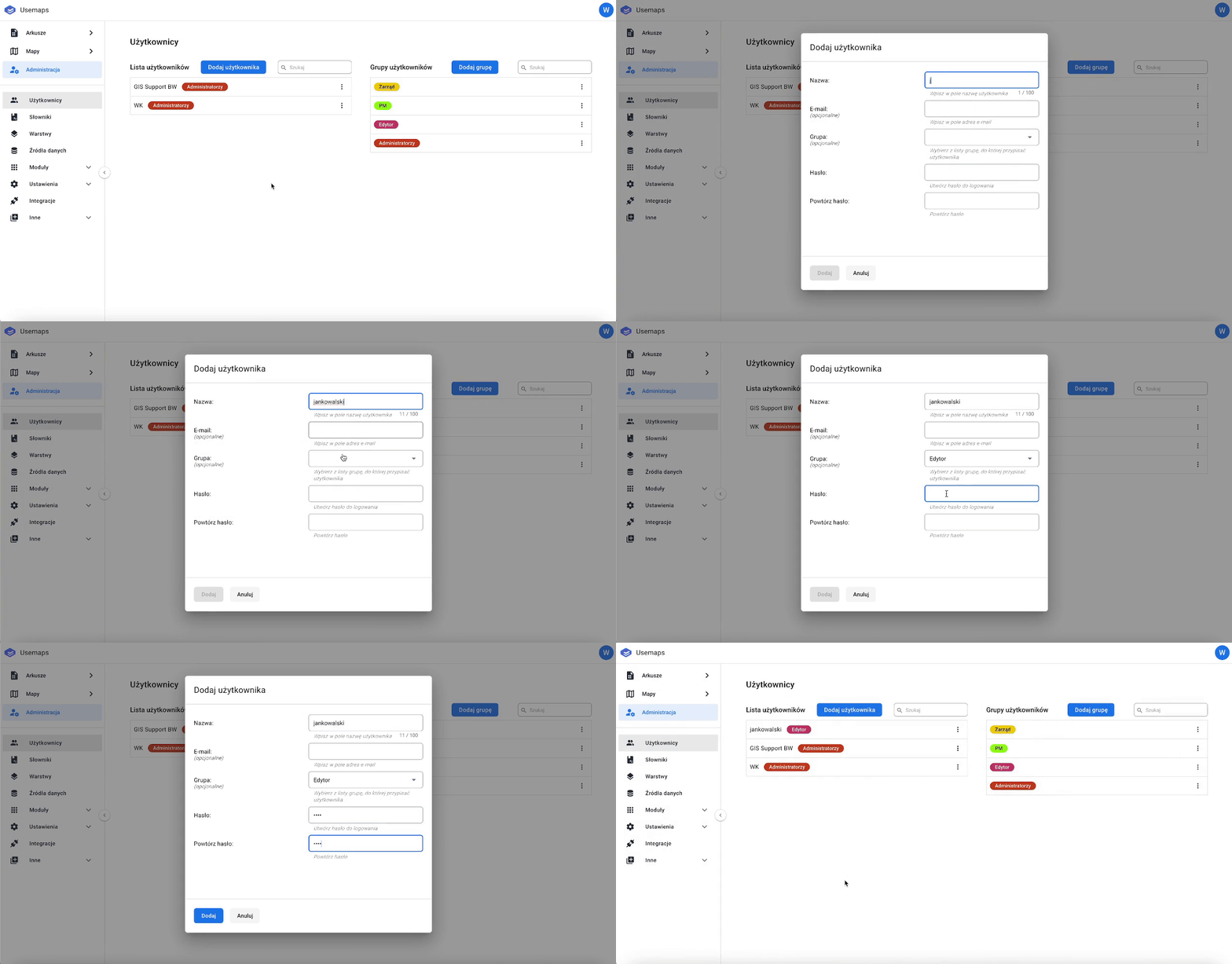
A new user can only be added by an Administrator.
To add a new user, follow these steps:
- Go to the Administration Panel.
- Open the Users section.
- Select the Add User
- Fill in the required and/or optional fields.
- Confirm the addition of the user by clicking Add.