

 1
1 0
0 0
0 13 November 2021
The Object Card is a set of information and tools related to an Object. It is displayed after clicking an object in the Attribute Table and after using the Identify tool in the Tools Panel.
Double-clicking an object in the Attribute Table, in addition to opening the Object Card, also zooms the map to the object’s location.
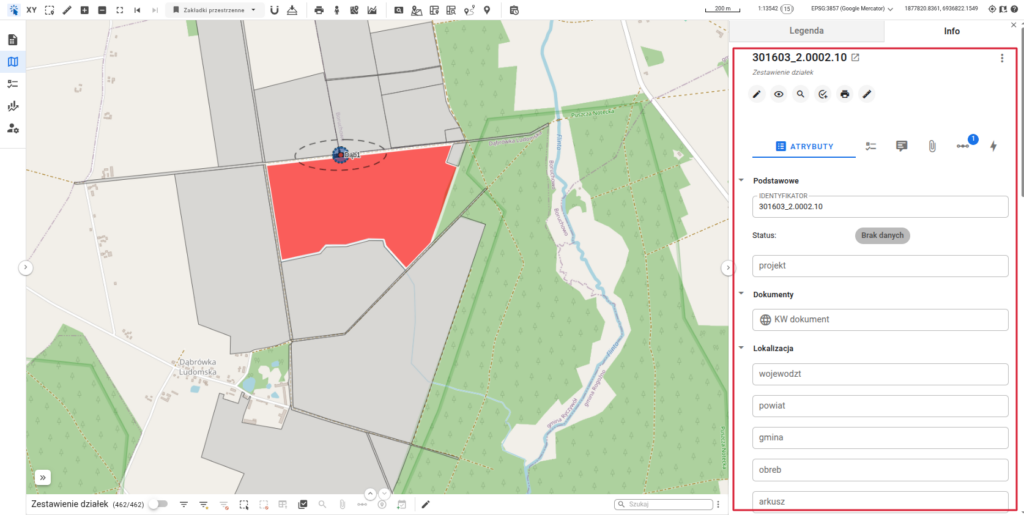
The card consists of:
- A header displaying the Descriptive Attribute and the name of the Layer from which the Object comes.
- Object Card tools
- Enable Object Edit Mode
- Observe Object
- Zoom in – zoom the Map Window to the extent of the Object.
- Print the Object Card
- Show Dimensions
- Detailed Information of the Object Card
- Attribute List
- Notes List
- Attachments List (How to add an Attachment in Usemaps?)
- Relations List (more about relations)
- Change History List (more about change history in Usemaps)