1
1 0
0 0
0 20 November 2021
The Advanced Filter is a tool of the Attribute Table
The Advanced Filter allows you to create a formula that can limit the display of data in the Attribute Table and on the Map based on conditions and logical operators.
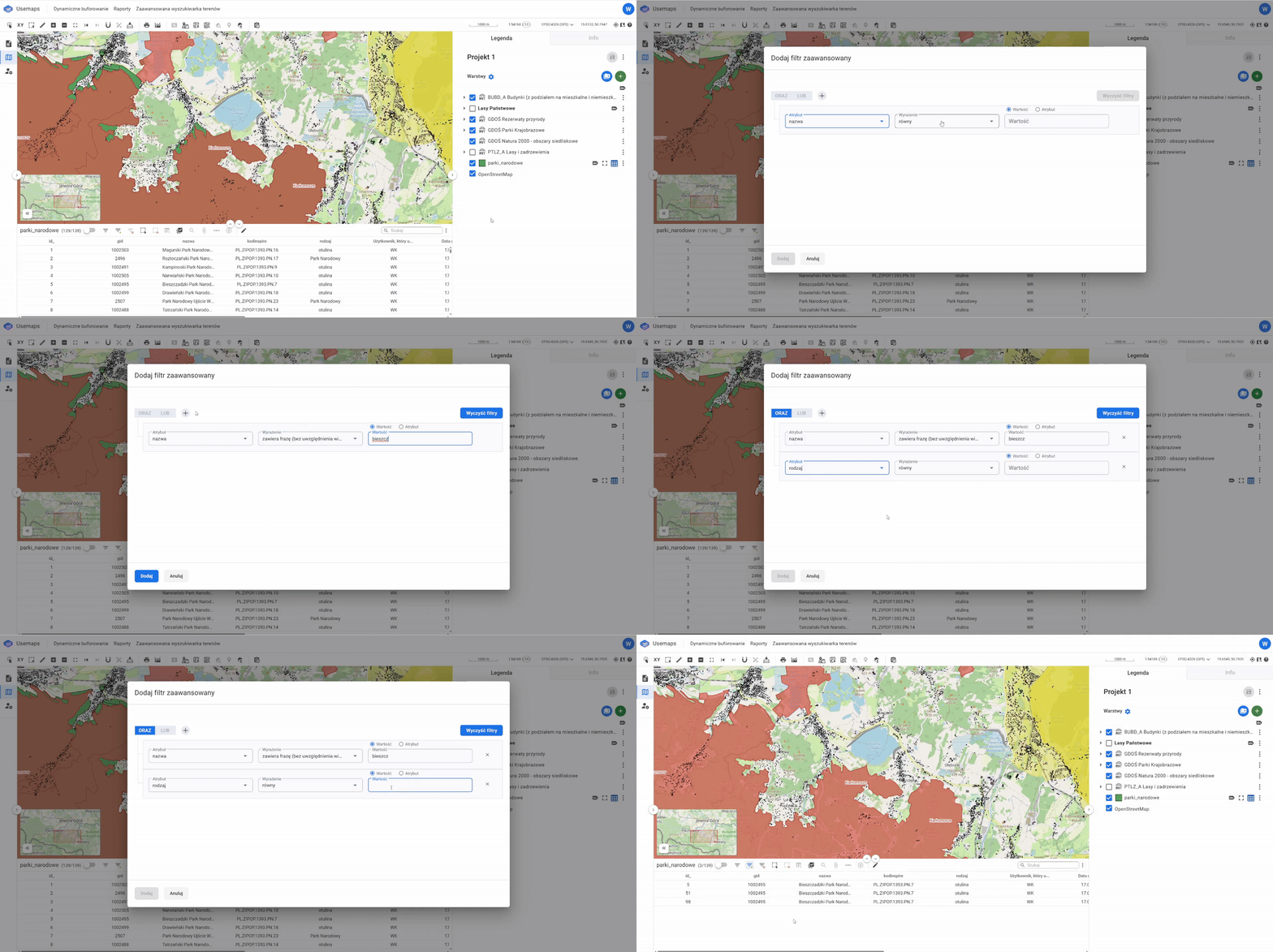
Logical operators:
1. AND (and)
2. OR (or)
Conditions:
1. Not equal to
2. IS NOT NULL
3. IS NULL
4. Less than
5. Less than or equal to
6. Equal to
7. Greater than
8. Greater than or equal to
9. Contains phrase
10. Contains phrase (case-sensitive)
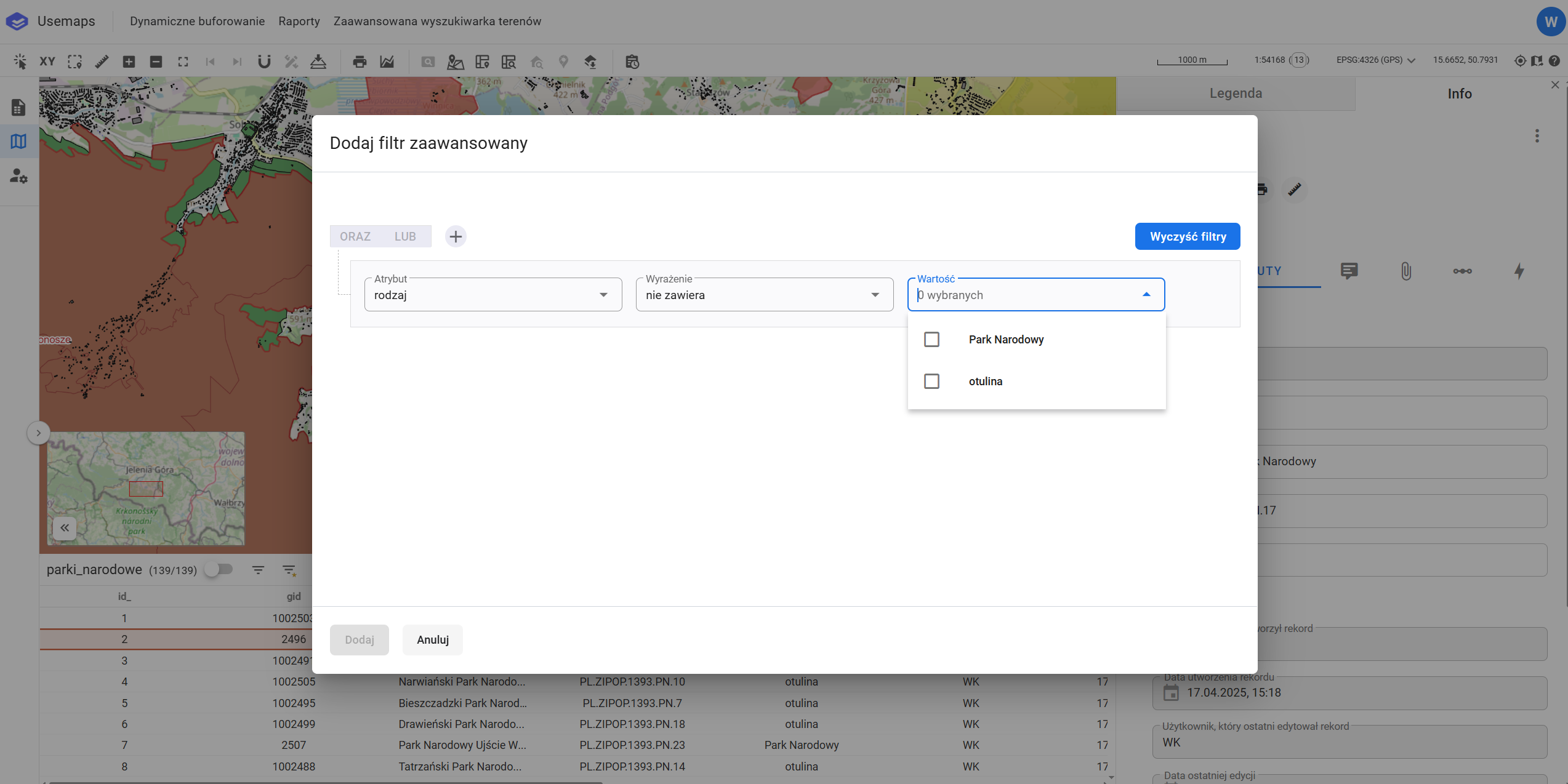
The filter supports dictionary values, meaning that wherever an attribute is linked to a dictionary, the dictionary values will appear in the value selection field.
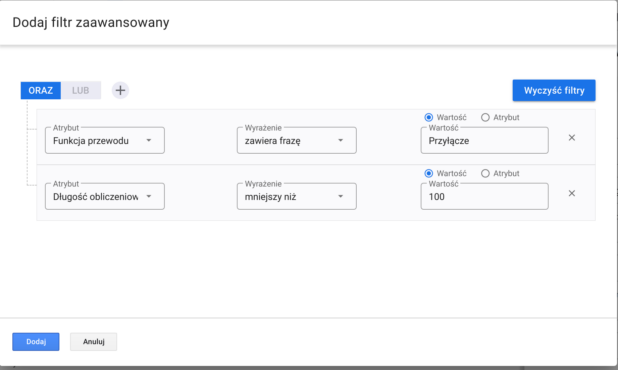
Example of use:
The following query means: Show water supply pipes (layer) whose pipe function (attribute) contains the phrase “Przyłącze” (attribute value) AND its calculated length (attribute) is less than 100 [m] (attribute value)